

Last Updated on 18 Sep, 2026 by Montel Anthony
Saying “Hey Google” before every follow-up question is now optional. Google just rolled out Gemini for Home Continued Conversation globally, and it works differently than the Google Assistant version. The mic stays active after your first request. The assistant holds the full context of your exchange. You can ask follow-ups naturally without restating your question. If you use Google Nest speakers or displays at home, this changes how you interact with your devices every day.
What Is Gemini for Home Continued Conversation?
Gemini for Home Continued Conversation keeps the microphone active for a few seconds after Gemini answers your first query. Watch for the pulsing lights on your device — that signals it is still listening.
This removes the need to say “Hey Google” before every follow-up. It mirrors how people actually speak in real conversations.
How It Differs From Google Assistant’s Version
Google Assistant had a Continued Conversation feature before this. The Gemini version does something Google Assistant could not: it retains the full context of your prior exchange.
With Google Assistant, you could skip the hotword for follow-up questions. You still had to repeat key details from your first question. Gemini holds that context automatically.
Try this exchange out loud: say “Hey Google, what’s the weather like in Tokyo?” then immediately say “How about tomorrow?” Gemini already knows you mean Tokyo. You never repeat it.
The Four Upgrades Google Built Into Gemini for Home Continued Conversation
According to Google’s official announcement, this version includes four specific improvements over what came before:
- Conversational context — Gemini holds the thread so follow-ups make sense without repetition.
- Multilingual support — The feature now works across all supported Gemini languages and regions globally, not just U.S. English.
- Smarter side-talk detection — Improved AI tells the difference between your commands and background conversation in the room.
- Whole-home access — Once enabled, every person in your household can use it, including guests.
The multilingual expansion is a significant step forward. The original Google Assistant Continued Conversation only worked in U.S. English. This version goes global from day one.
How to Enable Gemini for Home Continued Conversation
The setup takes under a minute. Here is exactly how to turn it on:
- Open the Google Home app on your phone.
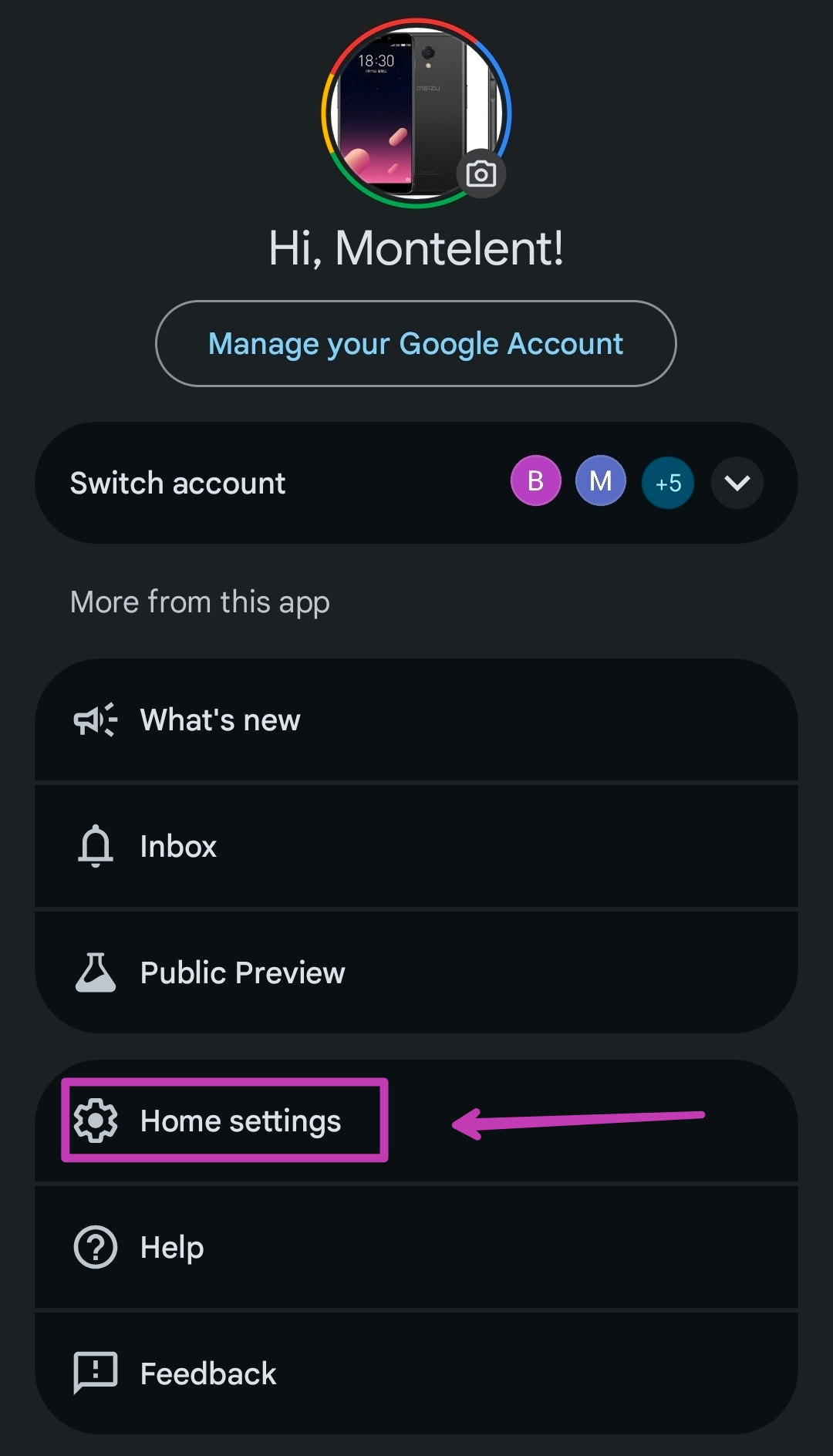
- Tap your profile picture at the top right.
- Select Home Settings.

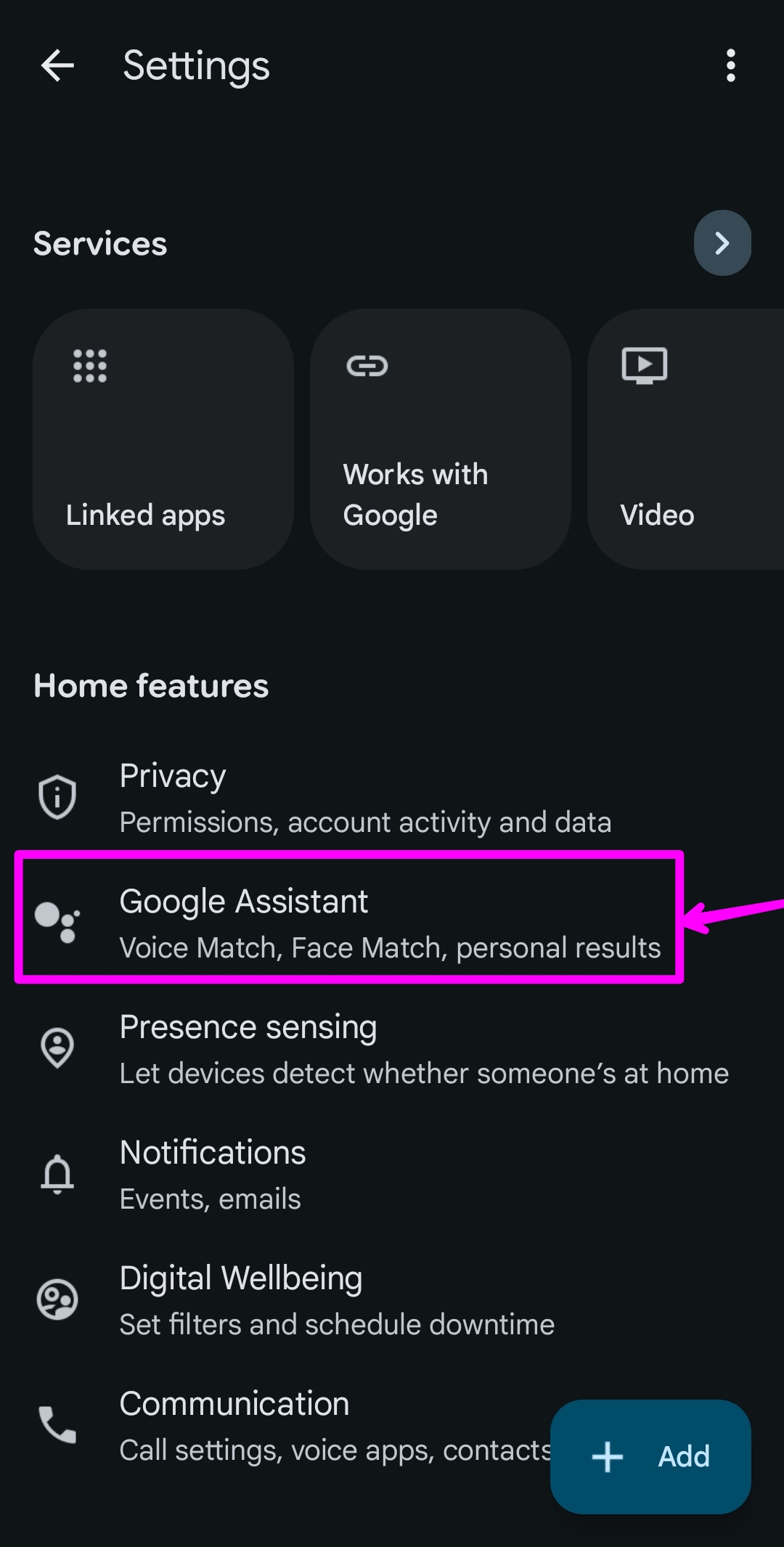
Google Home Settings - Tap Gemini for Home voice assistant/Google Assistant.

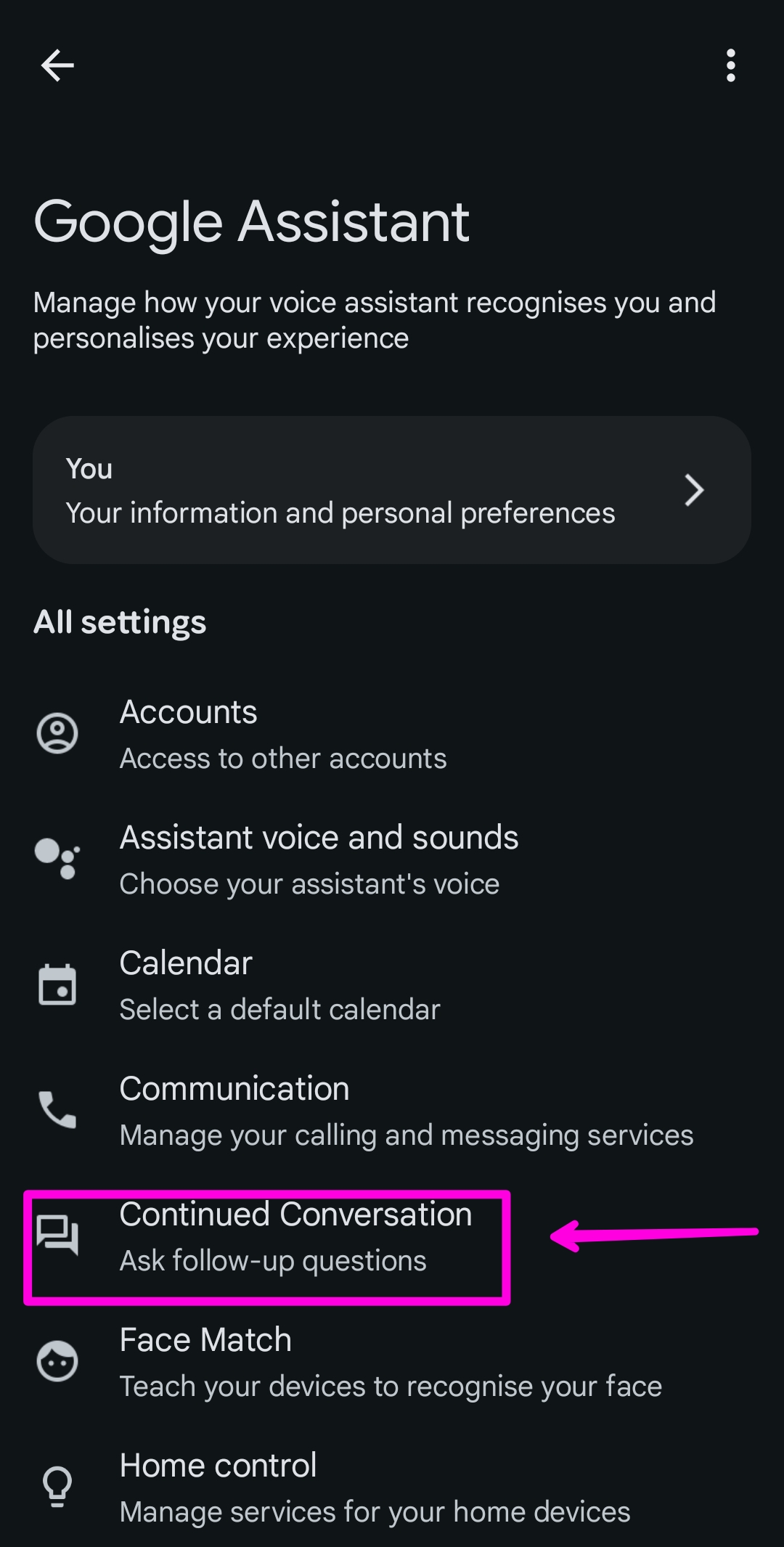
Google Home Assistant - Tap Continued Conversation.
Google Home Continued Conversation - Toggle it on.
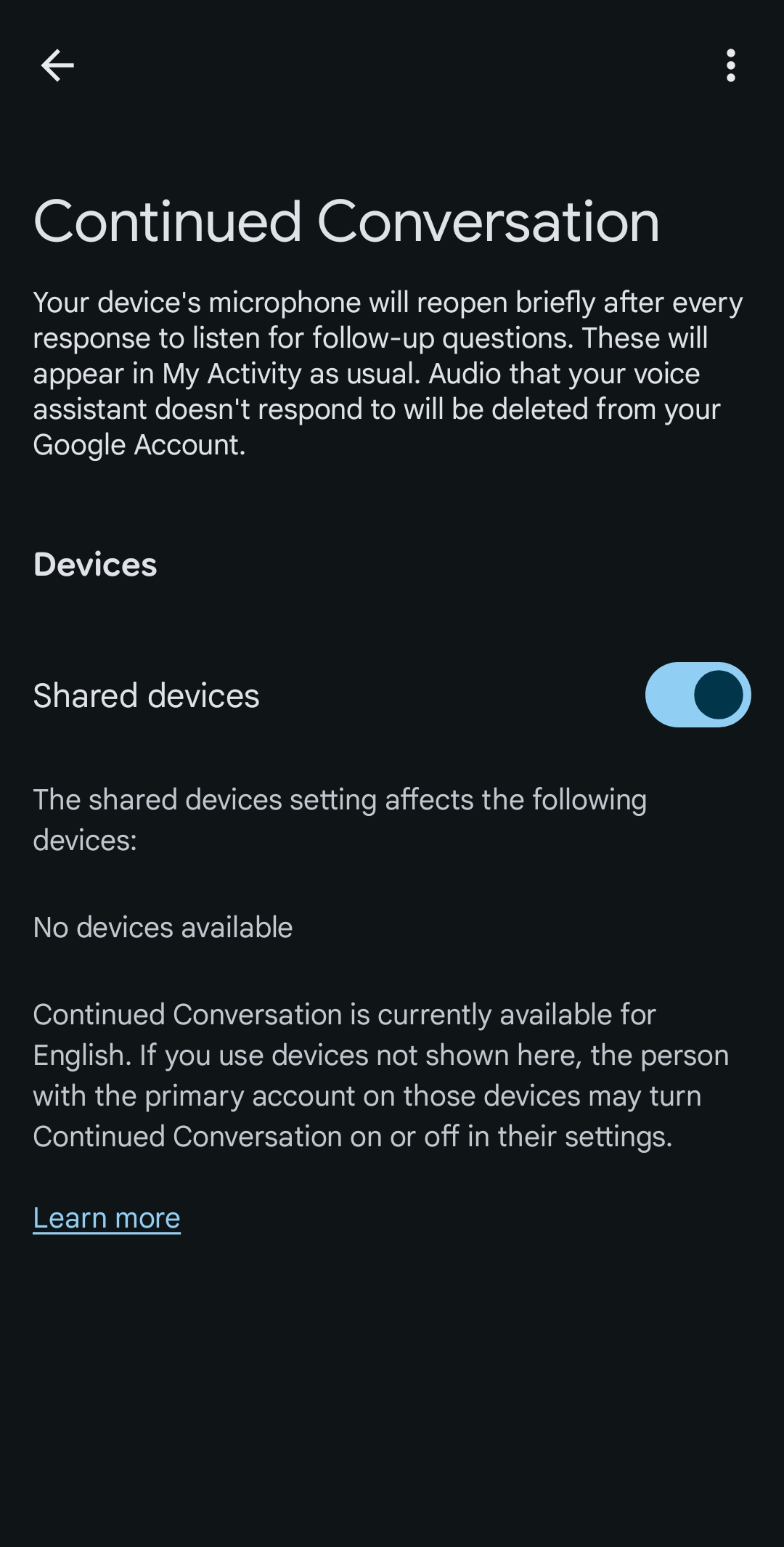
That is the full process. The feature activates for your entire household right away.
What Happens Once It Is Active
After you ask your first question, Gemini responds and holds the mic open for a few seconds. The lights on your Nest speaker or display pulse to show it is still listening.
Ask your follow-up naturally. You skip “Hey Google” entirely. If you stop talking or start a side conversation with someone else, the mic closes on its own.
Side-Talk Detection: Why This Matters for Busy Households
Have you ever had a smart speaker respond to something you said to another person in the room? The previous Continued Conversation feature had this problem regularly.
Google’s new side-talk detection uses improved AI to filter out background chatter. The system tells the difference between a command directed at the speaker and a conversation happening nearby.
This matters most in kitchens, living rooms, and shared spaces where ambient conversation is common. Accidental activations ranked among the top complaints submitted during the Gemini for Home early access period. Millions of users opted in and gave direct feedback to shape this release, as Google confirmed in its announcement.
Practical Uses That Go Beyond Basic Questions
The feature handles multi-step tasks, not just single queries. Try this with your Nest device:
- Ask for a recipe.
- Then say “Give me a different version.”
- Then say “Add those ingredients to my shopping list.”
Each follow-up builds on the previous one. Gemini holds the thread through the full exchange without needing prompts from you.
The same pattern works for trip planning, to-do lists, and household organization. Ask for flight times to a city, then ask about the best neighborhoods, then ask what to pack. No restating. No switching apps.
Do you already use Gemini on your phone to manage personal context across Gmail and Google Calendar? If so, you will recognize this same connected behavior now working through your home speakers. Our earlier breakdown of how Gemini Personal Intelligence reasons across your Google apps explains the broader context engine behind these features.
Turn It On and Test It Today
Open the Google Home app right now and follow the six steps above. The feature is live and rolling out globally as of April 21, 2026.
Once it is on, test it with a two-part question — a recipe request, a weather check across two days, or a task list. The first exchange will show you exactly what changed. From there, the way you talk to your Nest devices will shift naturally.
Discover more from Cloudorian — Android, Samsung & Windows How-To Guides
Subscribe to get the latest posts sent to your email.



