

Last Updated on 16 Aug, 2026 by Montel Anthony
WhatsApp has a paid tier. Not a rumor. Not a leak. As of April 21, 2026, Meta confirmed WhatsApp Plus is in active testing with real users in select markets. It costs €2.49 per month in Europe. Every core feature you use today stays free. Nothing has been removed to create this plan. But if you have been wondering whether WhatsApp would follow Snapchat and Instagram into subscription territory, you now have your answer.
Key Takeaways
- WhatsApp Plus costs €2.49/month in Europe, PKR 229/month in Pakistan, and MXN 29/month in Mexico
- A one-month free trial is available to early testers
- All core WhatsApp features, including end-to-end encryption, remain free
- The plan is Android-first; iOS support comes later
- Access is limited to a small number of users during this test phase
What the WhatsApp Plus Subscription Actually Includes
WhatsApp Plus delivers personalization upgrades, not functional replacements. Every feature in the paid tier is new. Meta has not taken existing free tools and put them behind a paywall.
Here is what you get with a WhatsApp Plus subscription:
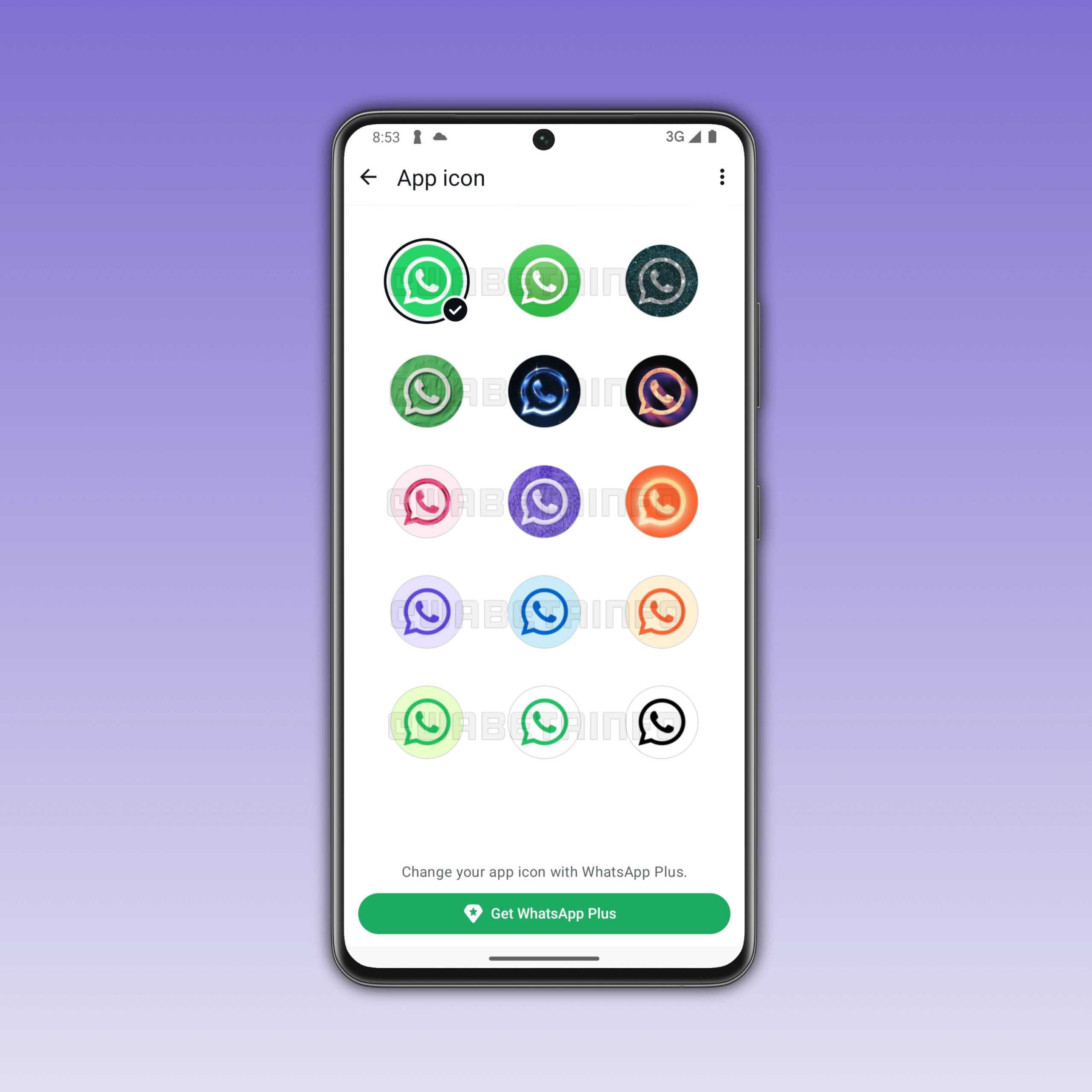
- Custom app icons: Choose from 18 color options for the WhatsApp icon on your home screen and app drawer

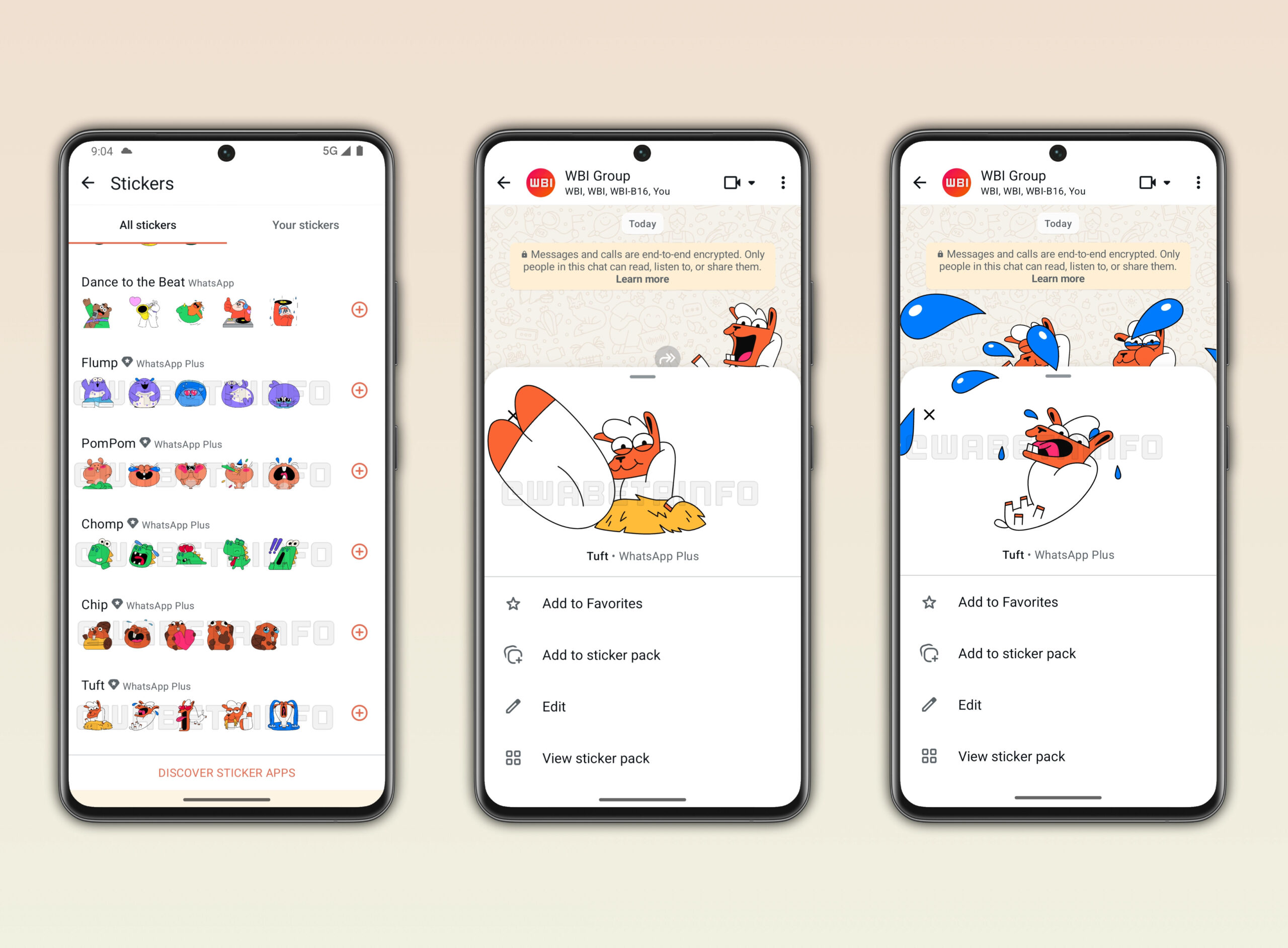
WhatsApp Plus icons - Exclusive premium stickers: Access a sticker pack not available to free users

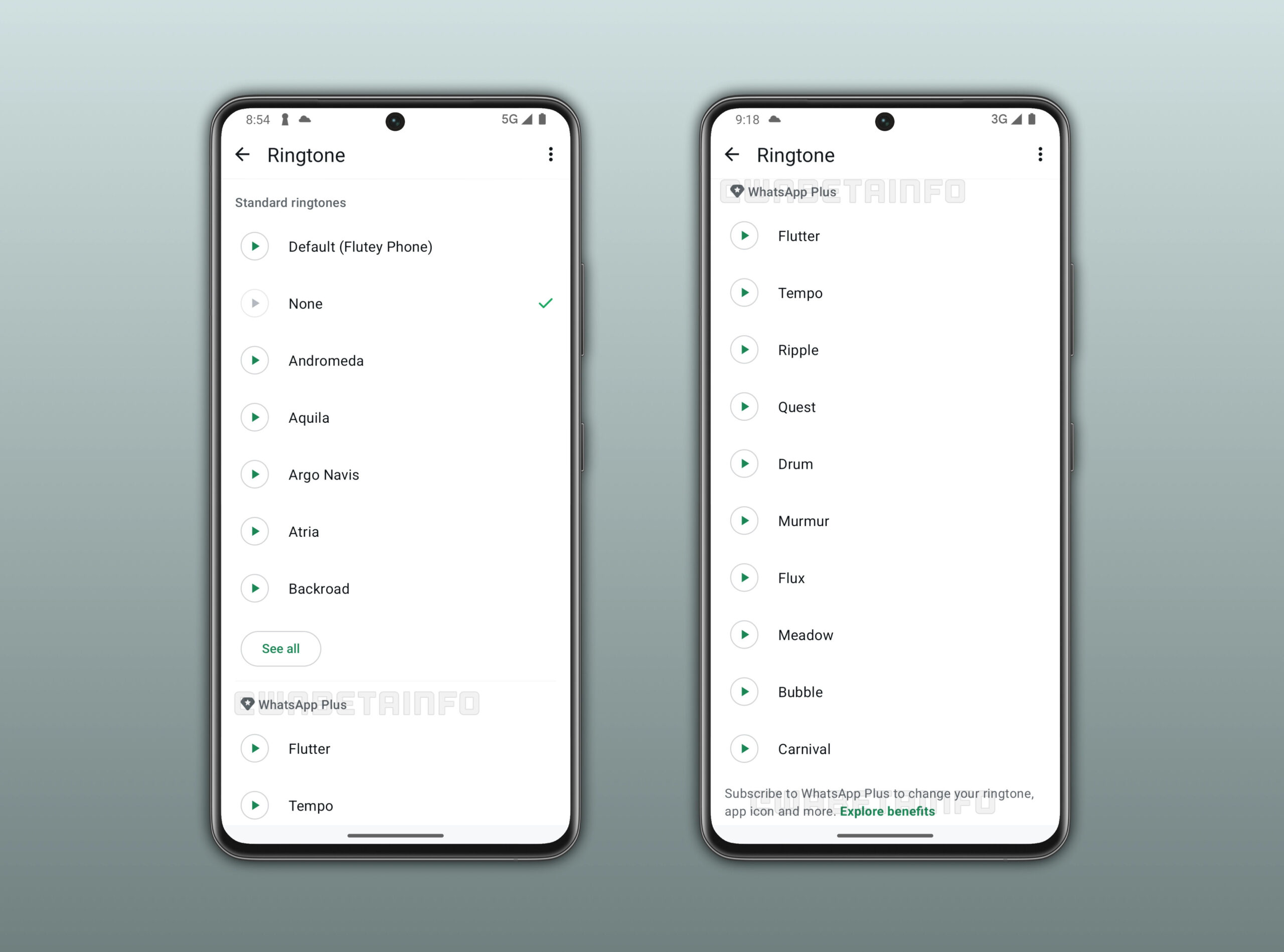
WhatsApp Plus Stickers - 10 premium ringtones: Apply unique ringtones to specific chats or groups

WhatsApp Plus ringtones - Custom chat themes: Set a theme per conversation or across an entire chat list
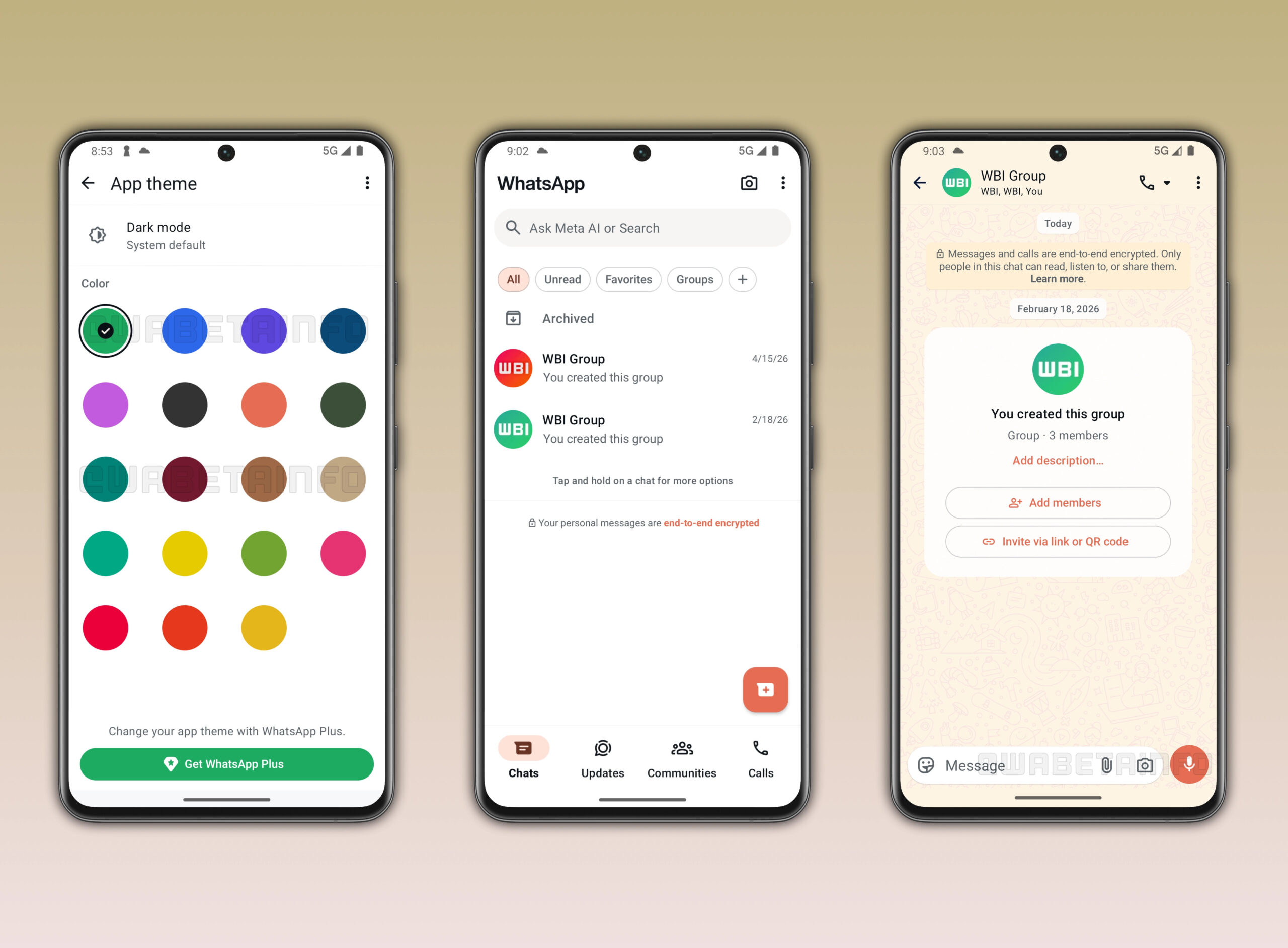
WhatsApp Plus themes - Expanded pinned chats: Pin up to 20 chats instead of the free-tier cap of 3
WhatsApp Plus pinning - Bulk list settings: Apply a theme, ringtone, or notification tone to every conversation in a custom list at once
WhatsApp Plus lists
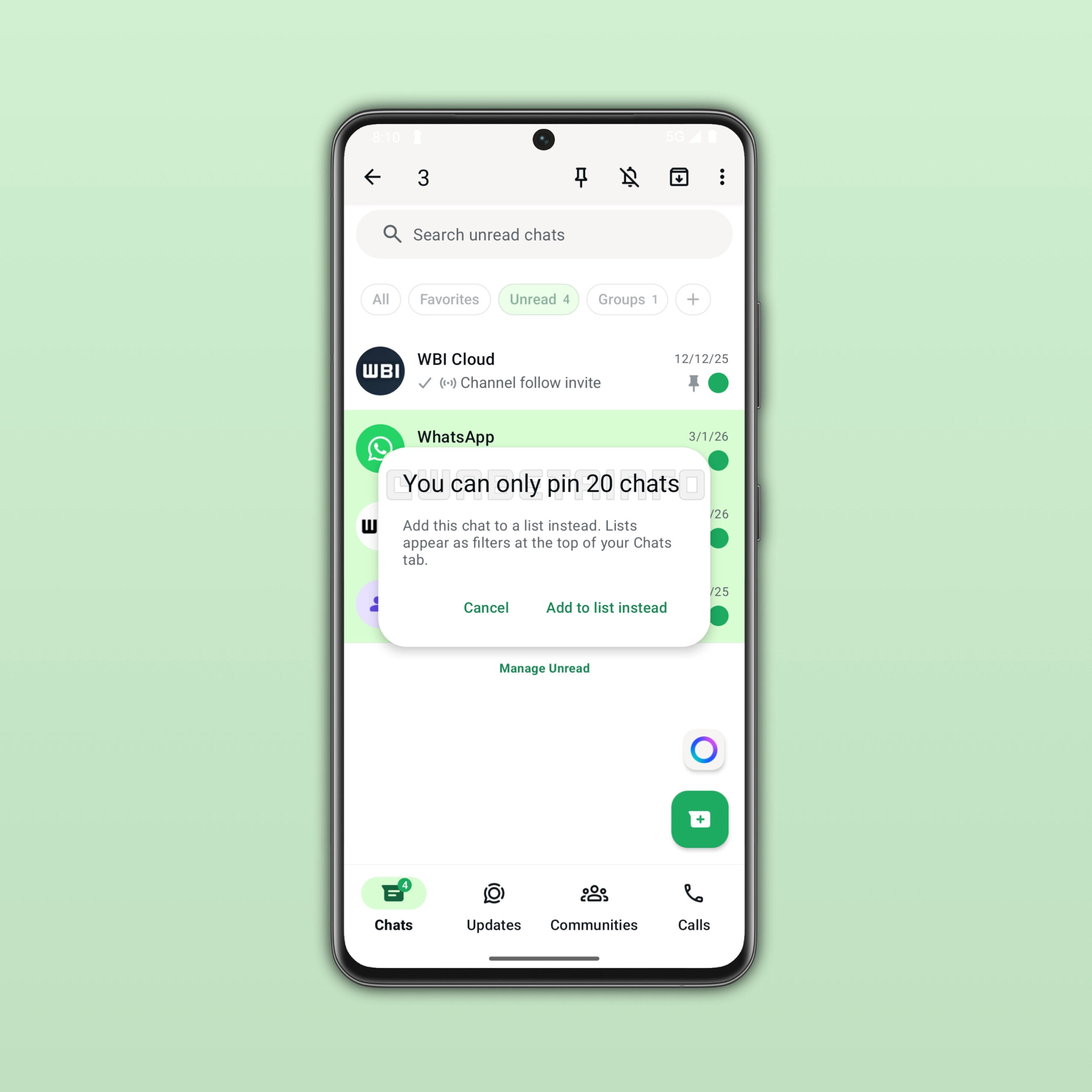
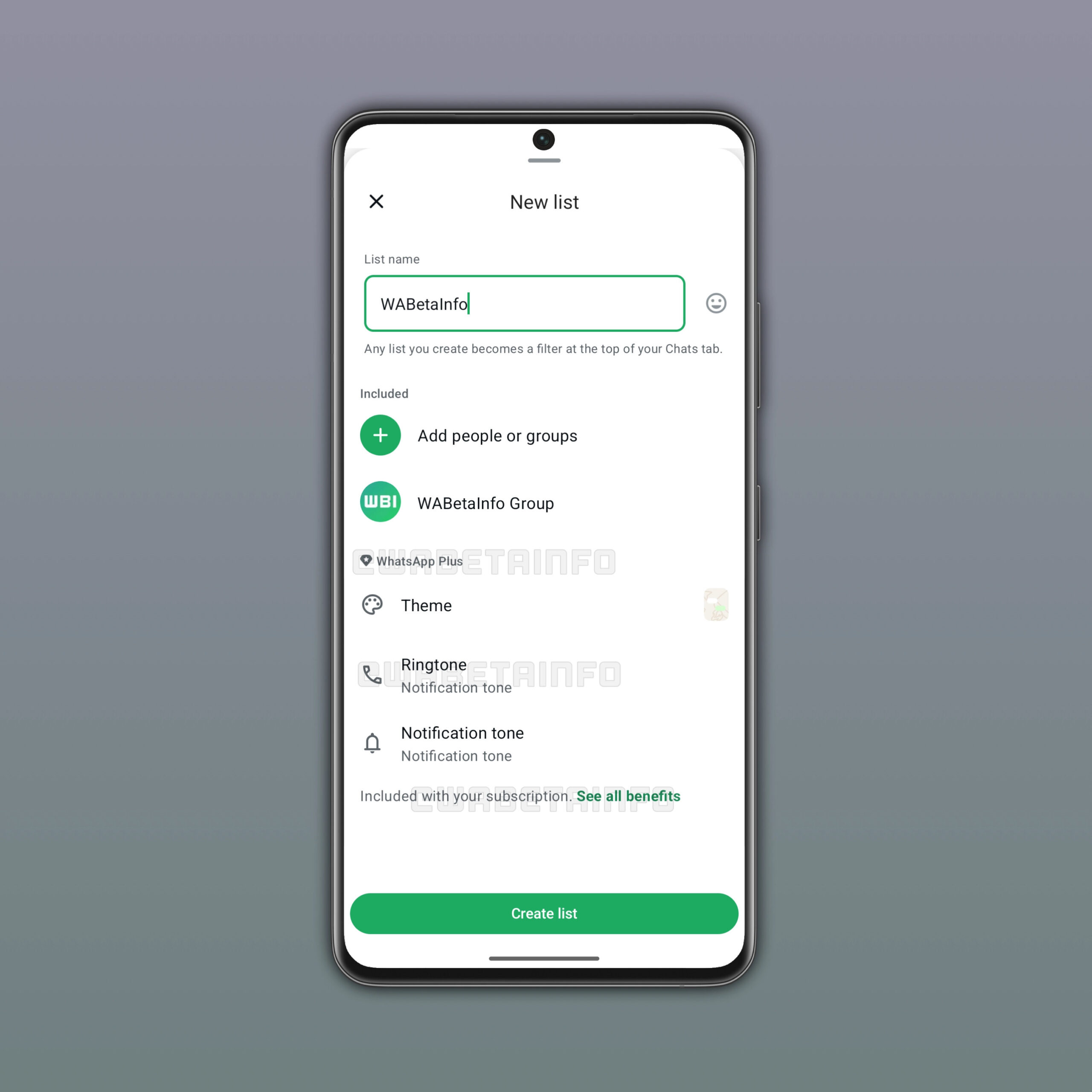
That last feature carries real organizational value. When you add a new conversation to a themed list, WhatsApp applies the theme automatically. You do not need to reconfigure anything.
What WhatsApp Plus Does Not Include
WhatsApp Plus does not remove ads from the Status feed. Meta began running ads in WhatsApp Status in 2025, and paying for Plus will not stop them. If ad-free Status was your reason to consider subscribing, this plan is not the answer.
How Much Does the WhatsApp Plus Subscription Cost?
Pricing varies by region. Here are the confirmed figures from WABetaInfo:
| Region | Monthly Price |
|---|---|
| Europe | €2.49 |
| Pakistan | PKR 229 (~$0.82 USD) |
| Mexico | MXN 29 |
A one-month free trial is available, so you can test every feature before any charge hits your account.
WhatsApp has not published a price for the United States, United Kingdom, or Australia yet. Those regions are not part of the current test.
Why WhatsApp Is Launching a Subscription Now
WhatsApp charged a $1 annual fee in some regions before Meta acquired it. After the acquisition, WhatsApp dropped the fee entirely in 2016. The business model shifted toward enterprise messaging and click-to-WhatsApp advertising.
That strategy has paid off. During Meta’s Q4 2025 earnings call, the company reported that its family of apps revenue jumped 54% year-on-year to $801 million, a result driven in large part by paid messaging on WhatsApp. WhatsApp’s own revenue crossed a $2 billion annualized run-rate in Q4 2025.
So why add a consumer subscription on top of that? The answer is diversification. WhatsApp Plus sits alongside Instagram Plus and Snapchat+, two subscription tiers already running in the market. Meta is testing whether its largest messaging app can generate direct consumer revenue the same way competitors have.
Are you the kind of user who would pay $2.49 per month to customize an app you already use every day for free? That is exactly the question Meta is trying to answer with this test.
Who Gets Access to WhatsApp Plus Right Now
The rollout is limited. Only a small percentage of WhatsApp’s 3 billion-plus user base will see the subscription option during this phase.
The paid plan is Android-first. WhatsApp for iOS support is planned but has no confirmed launch date. If you use WhatsApp on an iPhone as your primary device, you cannot subscribe yet.
If you do not see a WhatsApp Plus option in your app, you are not in the test group. No workaround currently exists to join early.
How to Check If WhatsApp Plus Is Available to You
- Open WhatsApp on your Android device
- Tap the three-dot menu in the top-right corner
- Go to Settings
- Look for a WhatsApp Plus or Subscriptions section near the top
If the option is not there, your account has not been selected for the test. Keep your app updated through the Google Play Store to receive it as soon as your region gets access.
Does WhatsApp Plus Affect Privacy or Encryption?
No. End-to-end encryption applies to every WhatsApp account regardless of subscription status. Meta’s statement to TechCrunch confirmed this clearly: Plus is designed for users who want more ways to organize and personalize their experience.
The encryption architecture does not change based on plan tier. Your messages, calls, and media remain protected the same way they are today.
This matters because a paid tier always raises the question of what data trade-off you are making. With WhatsApp Plus, the trade-off is straightforward. You pay money. You get visual customization. No additional data collection has been disclosed.
How WhatsApp Plus Compares to Snapchat+ and Instagram Plus
WhatsApp Plus looks a lot like the early versions of Snapchat+ and Instagram Plus. Both launched with cosmetic perks before expanding into feature-driven upgrades over time.
Snapchat+ reached 12 million subscribers within its first year of launch. That number gave Snap enough confidence to keep building out the tier with functional additions. Meta likely sees the same growth path for WhatsApp Plus.
What is worth watching is whether WhatsApp adds functional features in later versions. Expanded file storage, scheduled messages, or advanced privacy controls would shift the product from cosmetic to practical. None of those are confirmed, but they represent the logical next step if early subscriber numbers justify the investment.
If you follow how messaging apps are adding value through optional upgrades, the Cloudorian coverage of Samsung Messages shutting down gives useful context on how the competitive messaging space is shifting right now.
What Happens If You Cancel WhatsApp Plus
WhatsApp has not published detailed cancellation terms for the test phase. Based on how similar Meta subscription products work, canceling would return your account to free-tier limits.
That means your pinned chats would drop back to a maximum of 3. Custom themes, icons, and ringtones would stop applying. Your chat history and contacts would remain untouched.
Do not subscribe expecting to keep any Plus feature for free after canceling. Treat the one-month free trial as your full evaluation window.
What to Do Before WhatsApp Plus Reaches Your Account
You do not need to wait passively. Use the current period to decide whether the feature set matches your actual usage.
- Count how many chats you currently have pinned. If you already hit the limit of 3, the expanded 20-chat pin alone may justify the cost.
- Check how often you switch between chats across different life contexts (work, family, personal). Themed chat lists would give each context a distinct visual identity.
- Set a calendar reminder to check your WhatsApp settings weekly. The rollout will expand, and the free trial means you pay nothing to evaluate it on your own device.
WhatsApp Plus is early, regional, and Android-only for now. The feature set is cosmetic by design at launch. Watch for functional additions in the months ahead. That is when the real subscription decision becomes worth making.
Sources: WABetaInfo | TechCrunch | GSMArena
Discover more from Cloudorian — Android, Samsung & Windows How-To Guides
Subscribe to get the latest posts sent to your email.



