

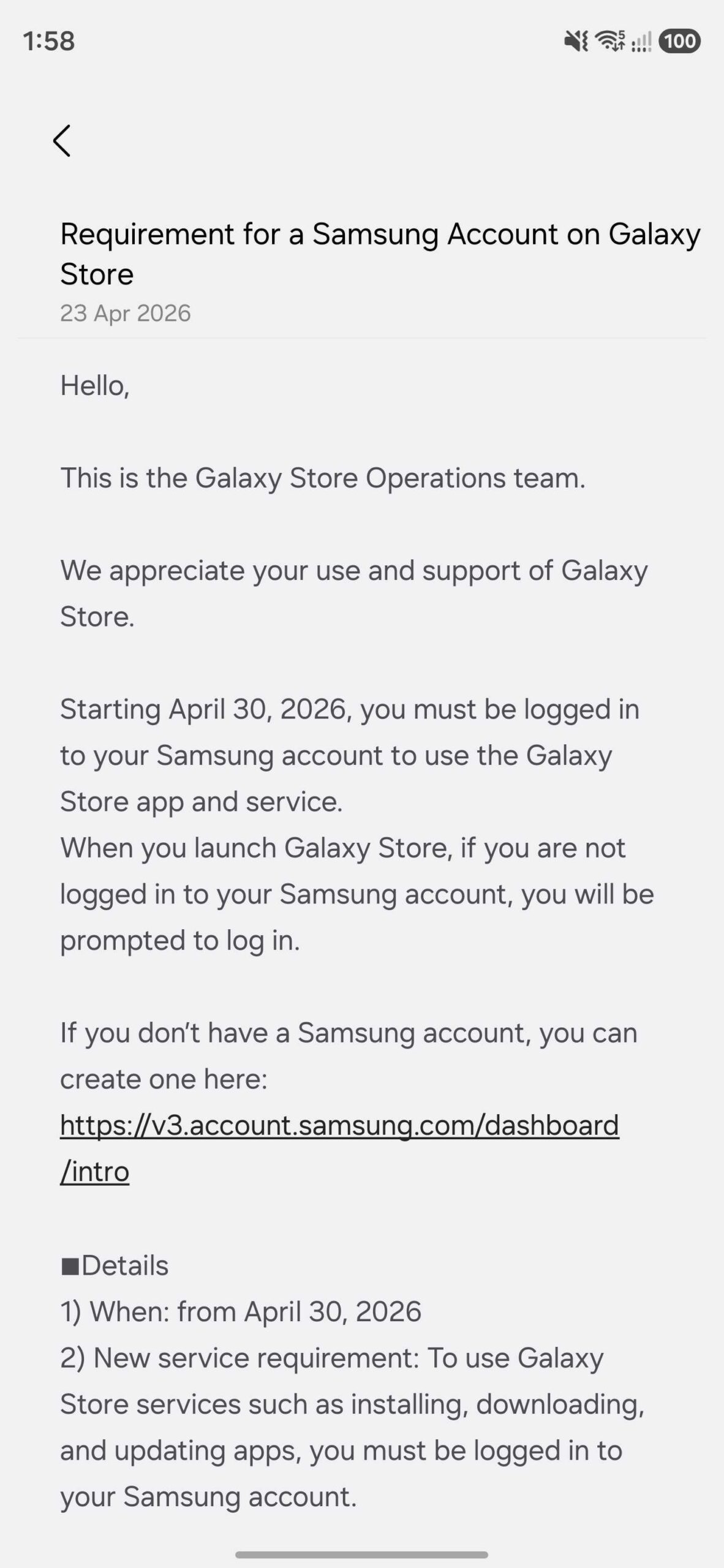
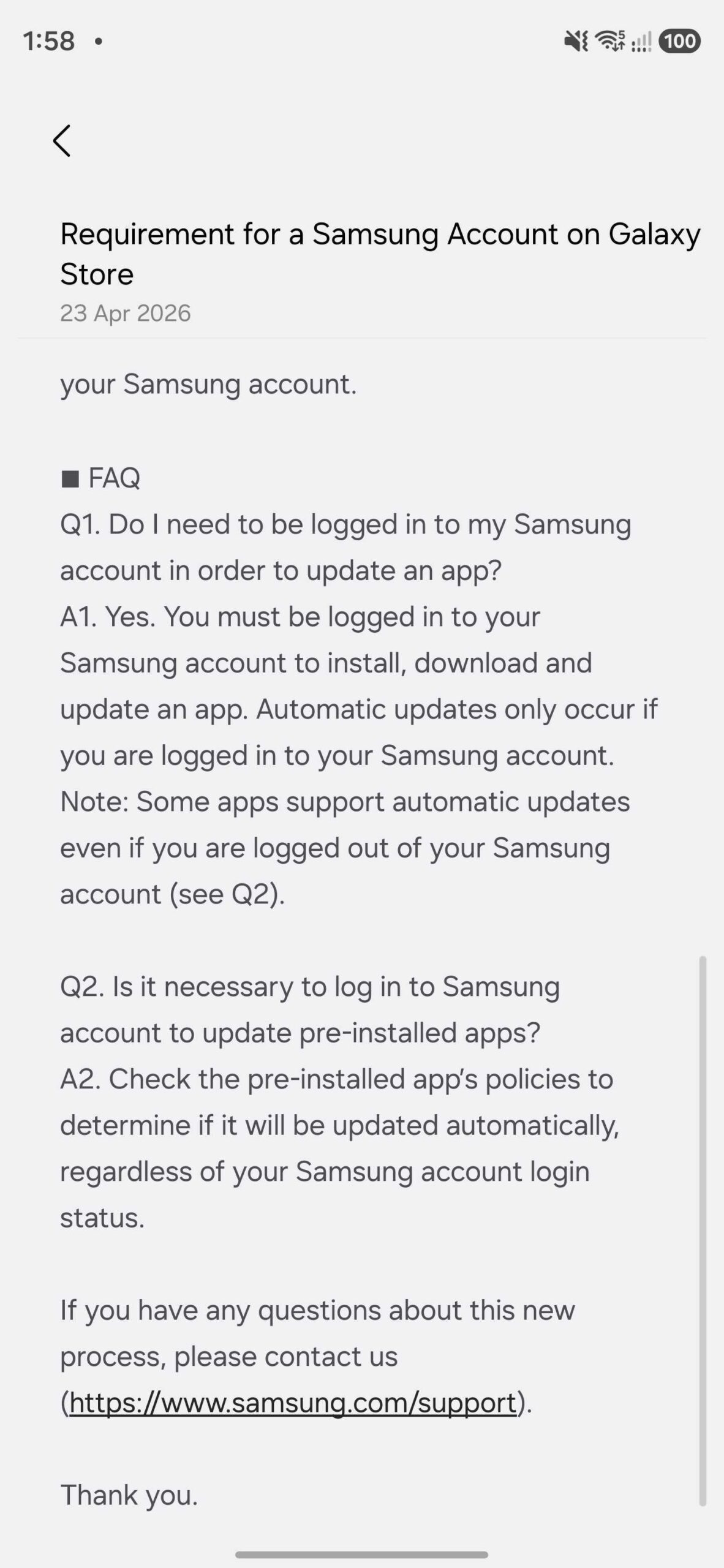
Samsung is cutting off app downloads and updates for any Galaxy Store user not signed into a Samsung account — effective April 30, 2026. The company issued an official notice inside the store confirming the change. Every Galaxy phone owner who skipped the account sign-in step during device setup needs to act before that date.
Key Takeaways
- Galaxy Store blocks all downloads and updates without a Samsung account sign-in from April 30, 2026
- Good Lock and its modules — only available on Galaxy Store — will stop updating without a linked account
- You can sign in with a Google account as an alternative to a Samsung-specific login
- Samsung has not confirmed whether the change is global or region-specific
What the Galaxy Store Samsung Account Requirement Means for Your Phone
Galaxy Store previously let unsigned users browse, download, and install apps without any account. That changes on April 30. Samsung’s Galaxy Store Operations team posted a formal notice on the Samsung Community forum stating that users must be logged in to a Samsung account to use the Galaxy Store app and service.
The store will show a sign-in prompt when you open it without an active session. Both new downloads and updates for existing apps will be blocked without completing that login. Apps left without updates create known security gaps that attackers are already aware of.
Why Good Lock Users Face the Biggest Disruption
Good Lock and all its modules — MultiStar, Nice Catch, QuickStar, and others — are only distributed through Galaxy Store. They are not listed on Google Play Store. If your account is not linked when April 30 arrives, every Good Lock module on your device stops receiving updates permanently.
Galaxy Store also handles updates for Samsung Members, AR Emoji, and Smart Switch. Samsung is tightening account-based access across multiple services at the same time, following the same pattern seen with the Samsung Messages shutdown in July 2026. Are you relying on Good Lock modules for your daily One UI customization? That access depends entirely on having a signed-in account from April 30 onward.
How to Sign Into Your Samsung Account on Galaxy Store Right Now
Follow these steps before April 30 to avoid losing access.
- Open the Galaxy Store app on your Galaxy phone.
- Tap the profile icon in the top-right corner of the home screen.
- Select Sign in on the account screen that appears.
- Enter your Samsung account email address and password.
- Tap Sign in to confirm. Galaxy Store will refresh automatically.
If you created your Samsung account during phone setup, Galaxy Store may already be signed in. Open the app and check whether the profile icon displays your account name or email. If it does, no further action is needed.
Already Have a Samsung Account But Forgot the Password?
Tap Forgot password on the Samsung account sign-in screen. Samsung sends a reset link to your registered email address. Complete the reset, return to Galaxy Store, and sign in using your new password. The full process takes under three minutes.
What to Do If You Don’t Have a Samsung Account
Samsung accounts are free and take under five minutes to create. You can register directly through the Galaxy Store sign-in screen or through Samsung’s website. According to PhoneArena, Samsung also allows users to sign in using an existing Google account, which removes the need for a separate Samsung-specific password.
Our full guide on how to create a Samsung account walks through the complete registration process on both web and device. You need a valid email address and a phone number for the verification step.
What Samsung Has Not Confirmed About the April 30 Change
Samsung issued the notice on a Galaxy S26 running One UI 8.5 in India. The company has not stated whether this requirement targets specific One UI versions, specific device models, or specific countries. The full geographic and device scope remains unconfirmed.
The practical position is straightforward: treat the change as global until Samsung says otherwise. Signing in costs nothing. Waiting to see if your specific region is affected risks a locked-out Galaxy Store on April 30 itself.
Is your Galaxy device still running an older One UI version? The safest action remains the same regardless of software version — sign in now.
Check Your Galaxy Store Sign-In Status Before April 30
Open Galaxy Store today and confirm your account status. If your profile name or email appears at the top of the app, you are already covered. If you see a generic account icon or a sign-in prompt, complete the login before the deadline.
Samsung is aligning Galaxy Store with how major app stores have operated for years. The change gives Samsung more accurate download data and tightens security around its app distribution. Your linked account also preserves your download history and app library across devices.
Discover more from Cloudorian — Android, Samsung & Windows How-To Guides
Subscribe to get the latest posts sent to your email.



