

Last Updated on 3 Aug, 2026 by Montel Anthony
Klasha is a digital firm that develops e-commerce platforms for customers in Africa and companies outside of Africa that wish to sell there.
Klasha is an e-commerce platform that helps provide you with a virtual card for payments across border.
What is Klasha and What is it used for?
Klasha was founded 3 years ago and launched in 2021. Klasha is located in San Francisco, California, United States. The Klasha App paves the way for simple international online purchases from Africa. You can use the money in your Klasha Wallet to buy whatever you want from any online store, wherever it is sold, and it will be delivered right to your door.
Klasha provides an integrated set of solutions for businesses and end users alike, all of which share a common application programming interface. Thanks to KlashaCheckout, non-African businesses can accept payments from customers in six African nations (Nigeria, Zambia, Tanzania, Uganda, South Africa, and Kenya) and be paid in any of the G20 currency types. KlashaWire facilitates the transfer of funds in local currency for small businesses in these six nations. The corporation claims that it can pay these vendors in their preferred currency within three business days. Merchants without physical locations can still collect payments from clients by providing them with a Payment Link that can be distributed via email or social media.
Features of Klasha App:
- Virtual USD card for payments
- Bill Payments (Airtime, Data, Electricity Bill etc.)
- Send and Receive Money Local and International
Pros and Cons of Klasha App
[accordions title=”Cons and Pros of Klasha”] [accordion title=”Pros of Klasha App” load=”show”]How can I open a klasha account?
Creating a klasha account is very easy and free.
- Visit the App store (for iOS) or Playstore (for Android) and download the App. Links below:
Klasha For iOS:


Klasha For Android:

- Open the App and Click on Sign Up and then fill your informations correctly.
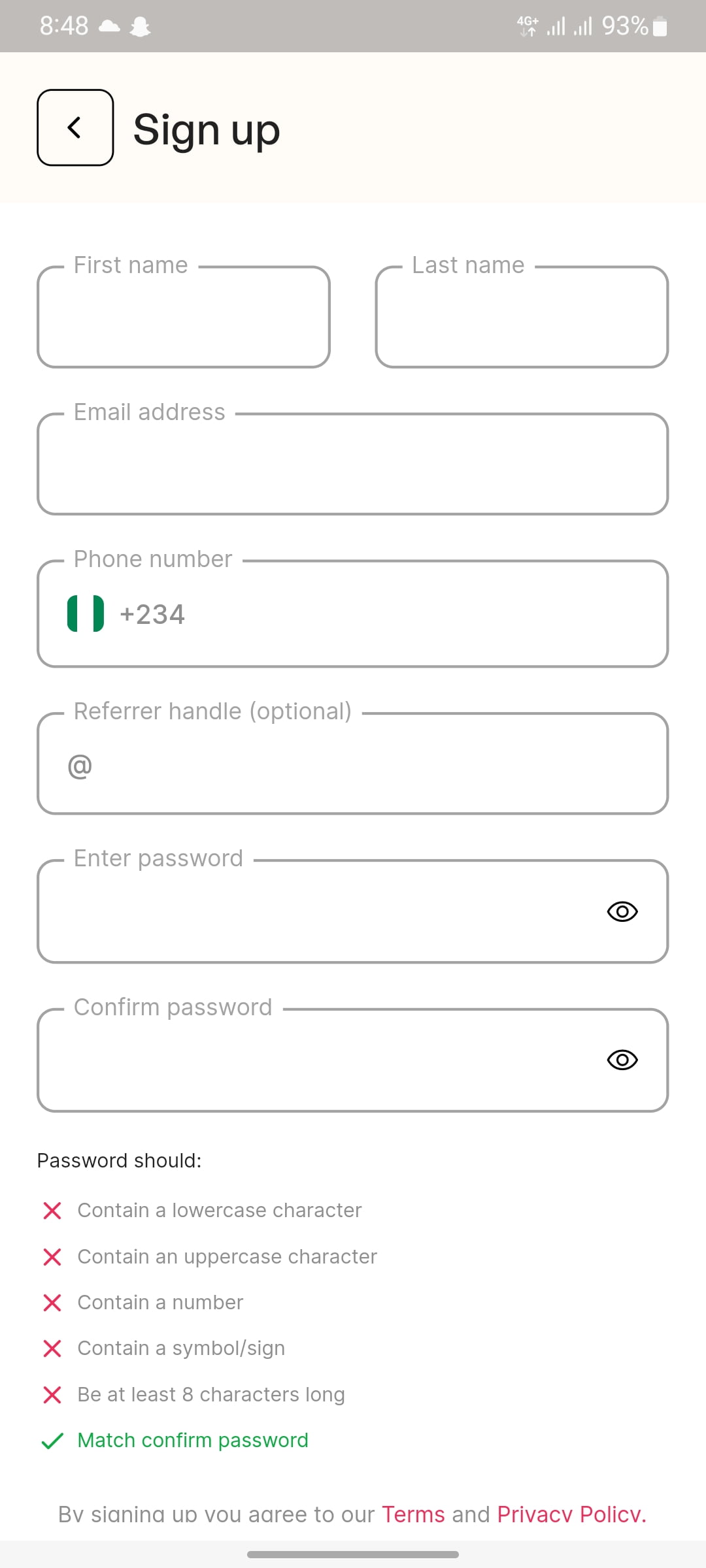
- Check your inbox for a confirmation email. You must confirm your email address to continue.
After the confirmation, Login your account with your details (Email & Password).
Your account is now setup, You can now do Your ID verification to increase your Transactions limit.
How do I create virtual card on Klasha?
Creating virtual card on your Klasha app is easy.
- Log in to your Klasha account
- Click on Fun Wallet to add money to your wallet.
- Enter the amount to fund, make sure you check your Rate before funding wallet in your currency
- Choose one of the Payment Methods (Bank Transfer, Card Payment and USSD).
- Once you confirm your Deposit, now kindly click on Card menu.
- Click on ‘Create a card’
- Name the virtual card
- Click on continue and fund your virtual card with $5; this will create your virtual card.
For those who had already existing virtual card and want to add another virtual card, follow the below steps to fund your card:
- Log in to your Klasha account and go to your dashboard
- Click on ‘View my cards’ on your dashboard
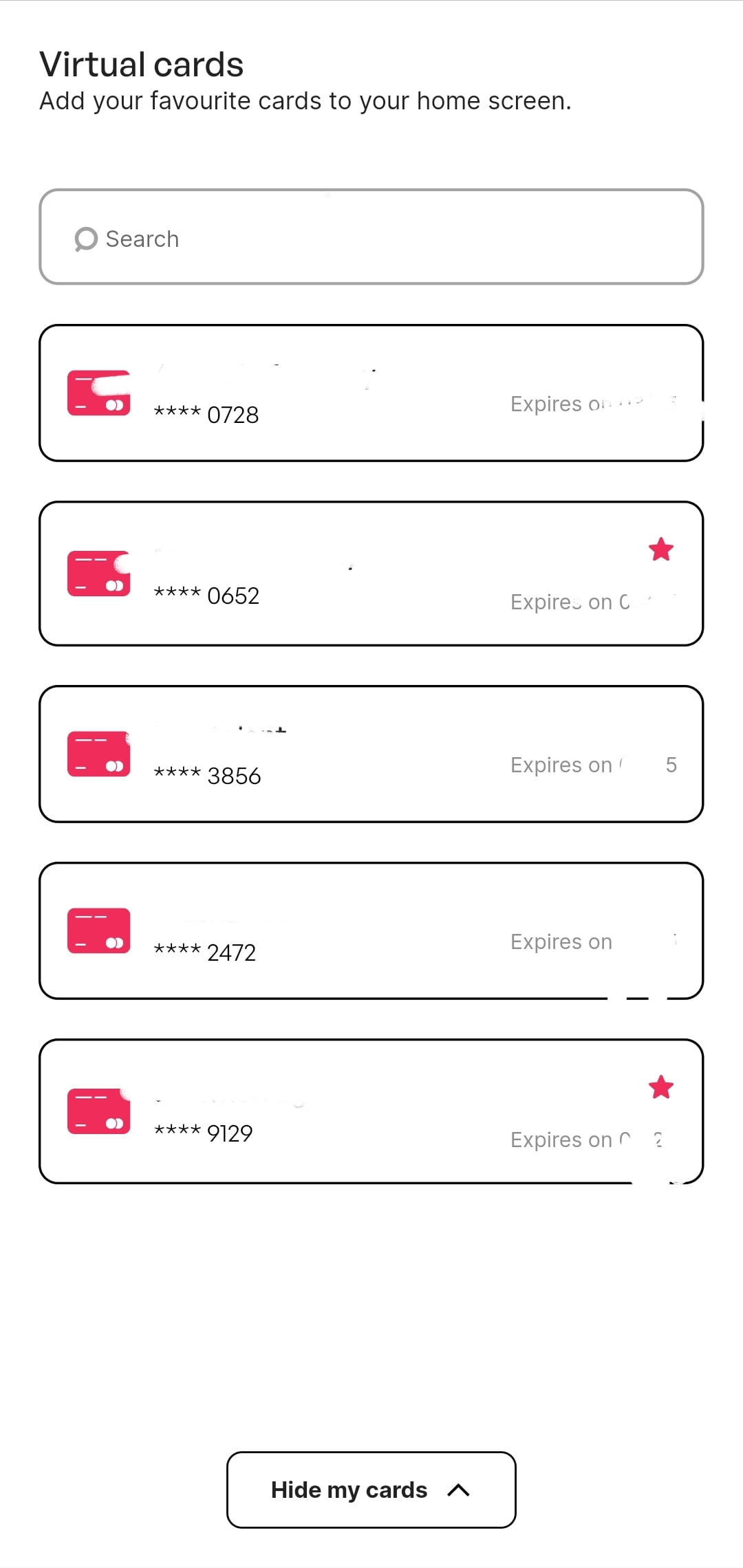
- Click on the plus sign (+) at the top left and fill in the necessary details; your new virtual card will be created
Conclusion: Klasha – App for Nigerians and Africans to Pay Across Border
The Klasha App is a huge step in the right direction for small to medium sized businesses in Africa. For once, they can take full advantage of the ease and convenience of e-commerce. Imagine selling a product to an individual across the border in another country. Until now, it was complicated, expensive, and risky to use a third party service to transfer payments. Now with a single touch, you can so easily send money from your bank account straight into theirs.
Discover more from Cloudorian — Android, Samsung & Windows How-To Guides
Subscribe to get the latest posts sent to your email.



