Termux on Android turns your phone into a full Linux environment, no root access required. The Google Play Store version stopped receiving updates in 2022, so most installation guides set you up to fail from the very first step. This guide covers the correct F-Droid installation, your first setup commands, and three tools Google would never approve for the Play Store.
What Termux Is and Why Android Users Need It
Over 1,000 installable packages live in Termux’s pkg repository, covering everything from network scanners to image editors to full programming environments. Termux is an open-source terminal emulator and Linux environment that makes all of them accessible on your Android phone. No Play Store category comes anywhere near that scope.
The Google Play Store build is officially dead. Termux developers stopped pushing updates to it in 2022 after Google imposed API restrictions that broke the app’s core package management. The F-Droid version receives regular updates and is the only build that works with current packages.
You’re not running a sandboxed demo inside Termux. You’re running the same open-source tools you’d find on a Debian Linux machine, compiled specifically for Android’s ARM architecture. That distinction matters when you start comparing Termux packages to their Play Store equivalents.
What You Need Before Installing Termux on Android
Your device must run Android 7.0 or higher, with Android 12 or above recommended for full compatibility with current Termux builds. All Samsung Galaxy S, A, Z Fold, and Z Flip models released after 2017 meet this requirement. You need at least 500MB of free storage for the base system plus packages.
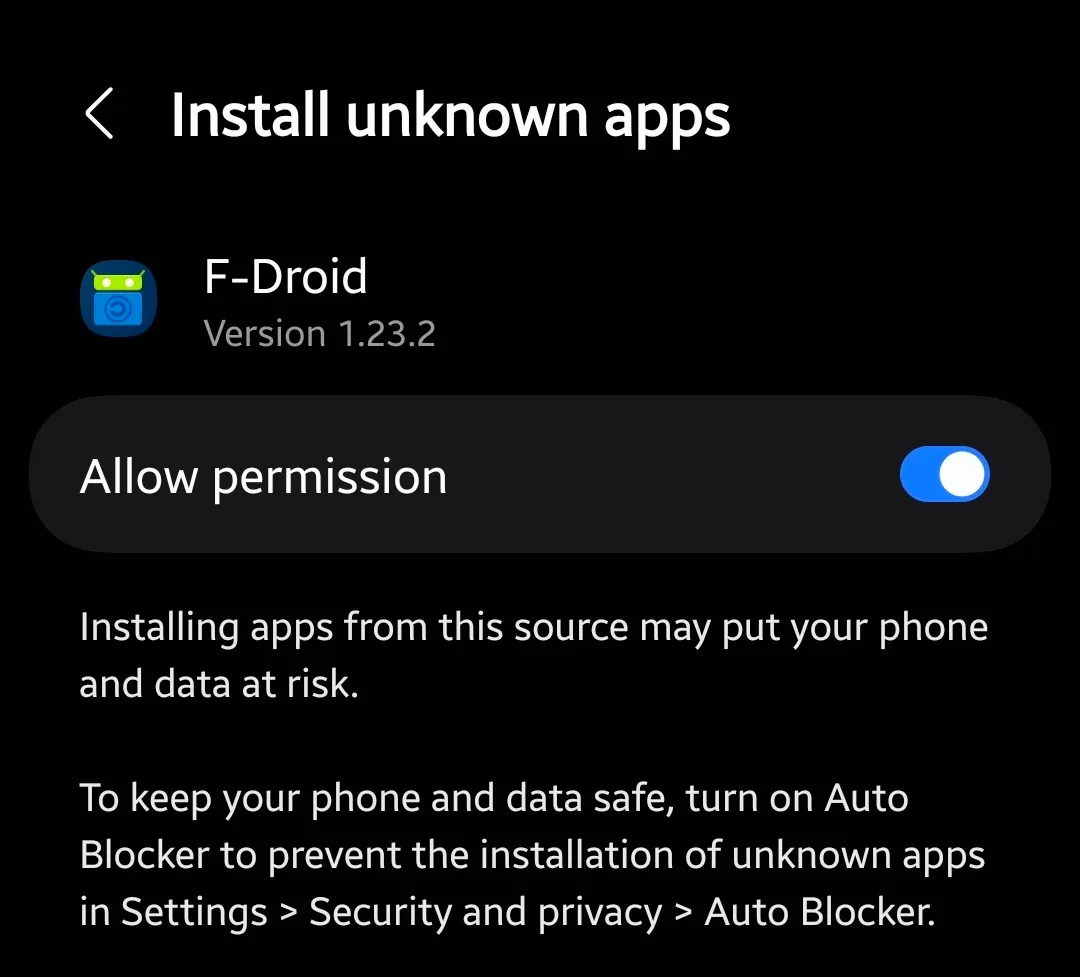
The Install Unknown Apps permission must be enabled for your browser before you can install the F-Droid APK. On stock Android, find it at Settings > Apps > Special app access > Install unknown apps. On Samsung phones running One UI, the path is Settings > Biometrics and security > Install unknown apps.
Android’s background process management becomes more aggressive starting in Android 12, and Samsung’s One UI makes this even more pronounced. Add Termux to your Never sleeping apps list in Settings > Battery and device care > Battery > Background usage limits before you start any long-running session.
How to Download and Install Termux on Android from F-Droid
Step 1. Open your browser and go directly to f-droid.org/packages/com.termux. Scroll down and tap Download APK next to the latest stable version.
Step 2. Open the downloaded APK from your notification bar. When your browser prompts for install permission, tap Allow.
Step 3. Tap Install when Android shows the installation screen. Termux will appear in your app drawer within 30 seconds.
Step 4. Open Termux for the first time. A minimal base system downloads automatically. Wait for the shell prompt to appear before typing.
Step 5. Run pkg update && pkg upgrade as your very first command. Press Y at each confirmation prompt. This refreshes your package index and upgrades the base system to current versions.
WARNING: If you already have the Google Play version of Termux installed, uninstall it completely first. The two builds use different APK signing keys and cannot coexist on the same device. Installing the F-Droid version over the Play Store build will either fail or corrupt your setup.
First Commands Every Termux User Needs to Run
Your first session should follow two steps before you touch any other package. Skipping these causes broken installs and file access errors later.
Give Termux Access to Your Android Storage
Run this immediately after your first upgrade:
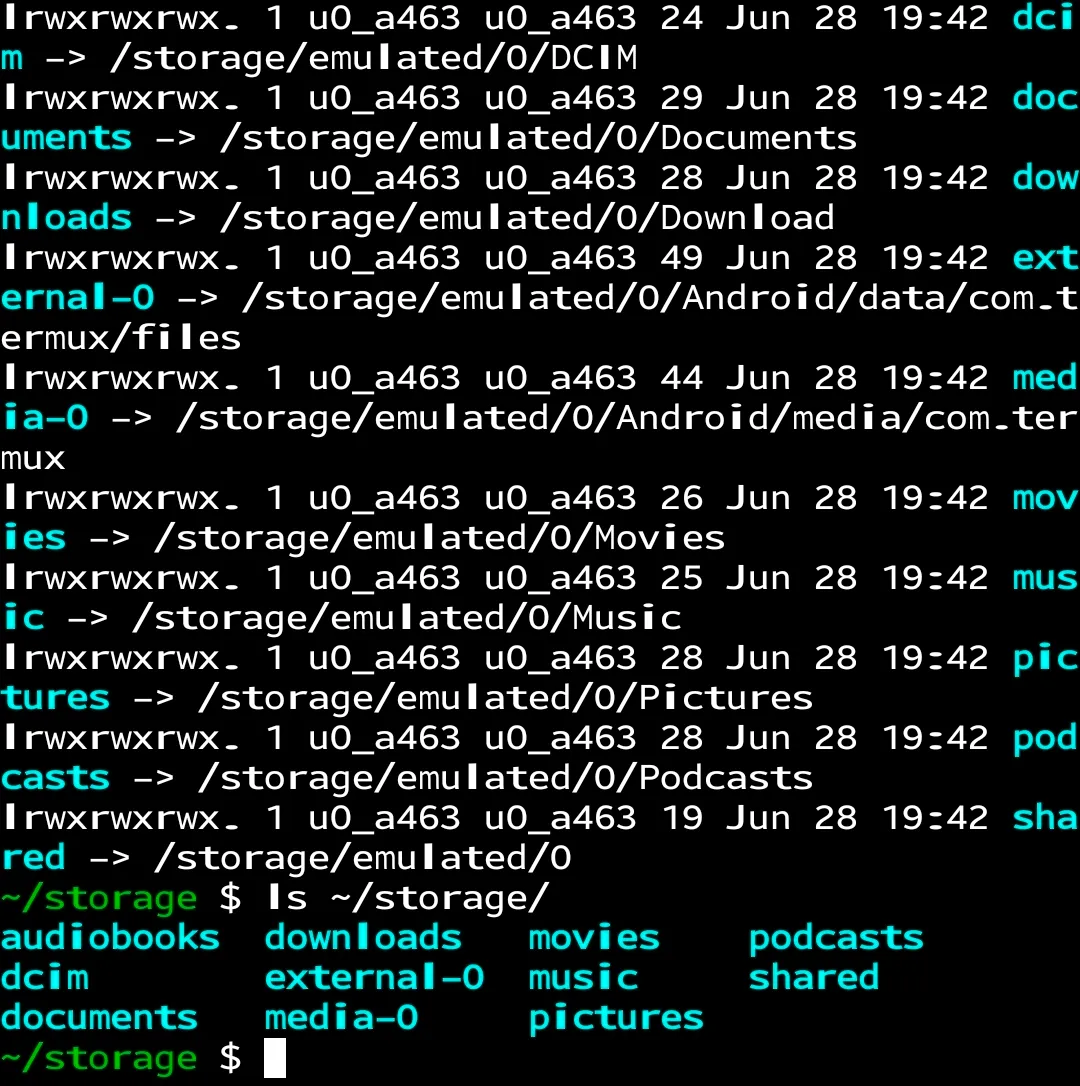
termux-setup-storageAndroid will show a permission dialog. Tap Allow. Termux creates a storage folder in your home directory with shortcuts to your DCIM, Downloads, Music, and Pictures folders on the phone.
Confirm everything worked:
ls ~/storage/You should see folders named dcim, downloads, music, pictures, and shared. If the folder is empty, revoke and re-grant the Storage permission at Settings > Apps > Termux > Permissions, then restart Termux and run the command again.
Install the Four Packages That Power Everything Else
Not sure which packages matter most? Start with these four, since most Termux tools depend on at least one of them:
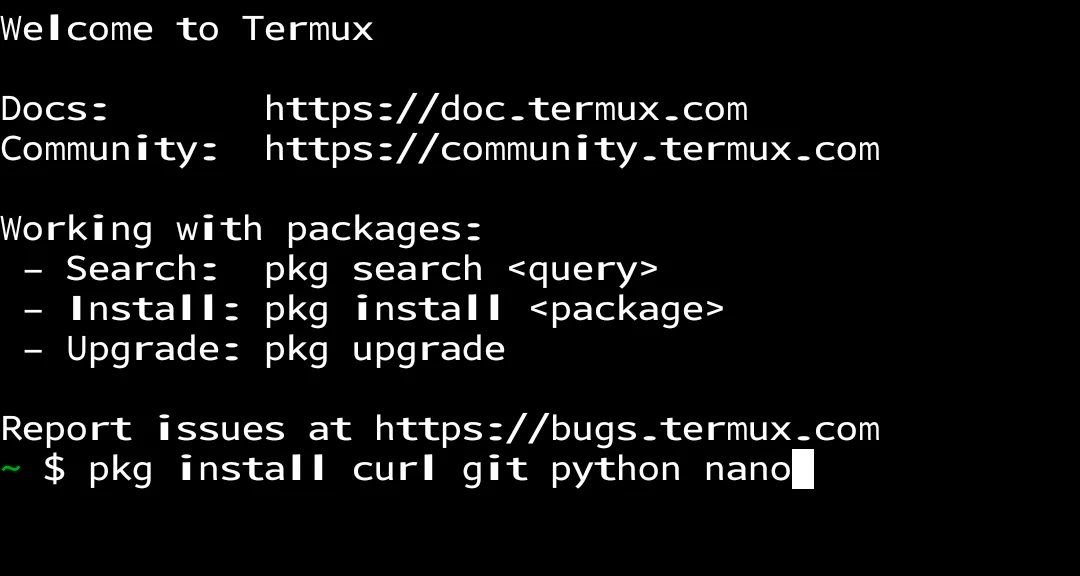
pkg install curl git python nanoThis installs cURL for data transfer, Git for version control, Python for scripting, and Nano as your text editor. Once these four are in place, you can install and run the vast majority of packages in the repository without hitting dependency errors.
PRO TIP: Use pkg search [keyword] before installing anything. Running pkg search image returns every image-related package in the repository, which is faster and more complete than searching online lists.
For a deeper look at navigation commands and file management inside the terminal, the guide on using the Linux command line in Termux covers cd, ls, mkdir, and path structures specific to the Android environment.
Three Termux Packages That Beat Any Play Store Alternative
Each of these tools installs with a single command. Each one covers a use case the Play Store handles badly. You don’t need an account, a subscription, or persistent internet access for some of them.
| Termux Package | Closest Play Store App | Termux Advantage |
|---|---|---|
| ImageMagick | Snapseed, Adobe Lightroom Mobile | Fully scriptable, no account, processes batches in a single command |
| cURL | HTTP Requester apps, browser | No UI friction, pipeable output, works with the DICT protocol offline |
| Nmap | Fing, Network Analyzer | Full flag support, no ads, no cloud sync, no rate limits |
ImageMagick: Scriptable Image Editing Without a Single App Store Account
Install ImageMagick:
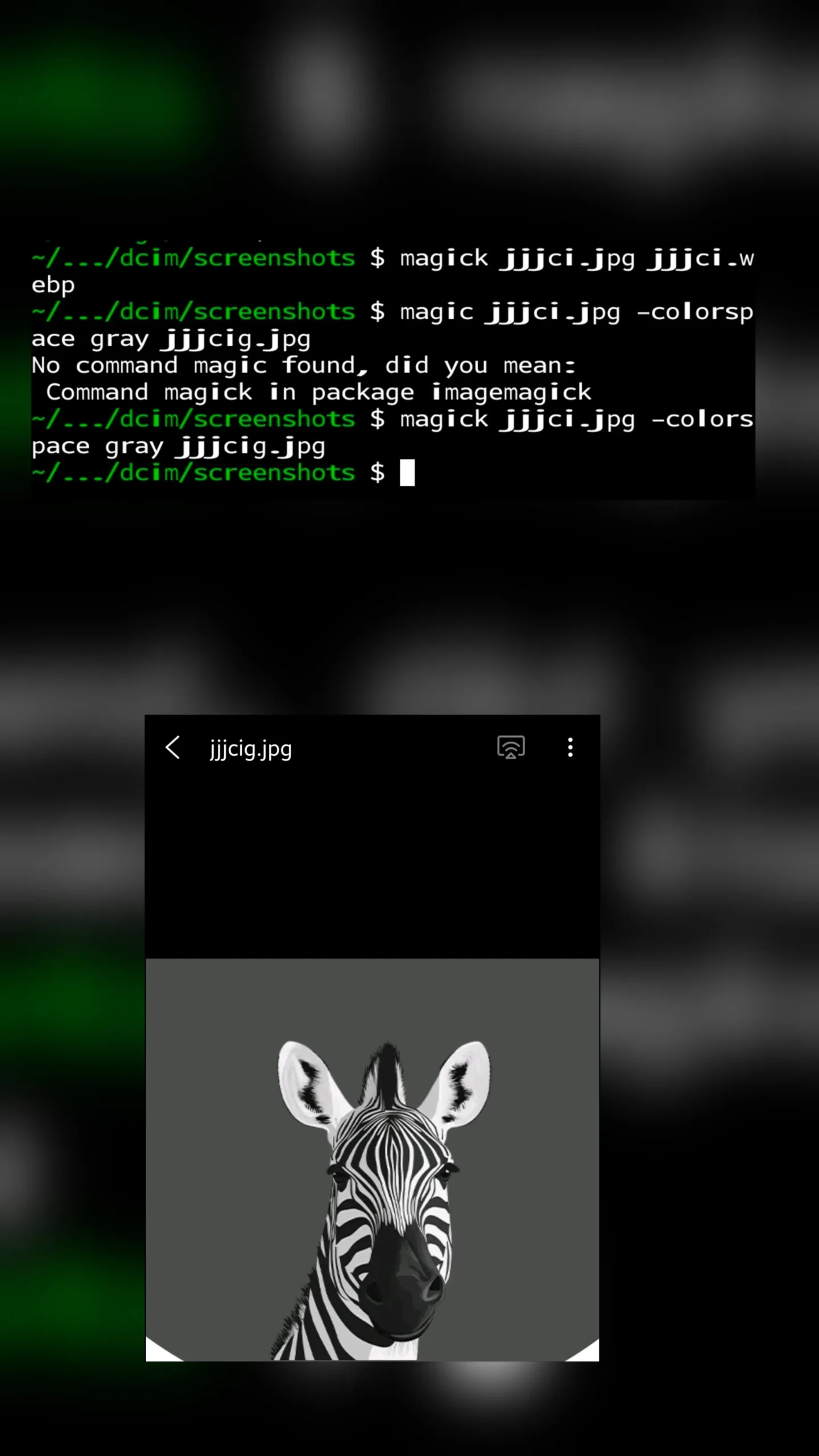
pkg install imagemagickImageMagick uses the magick command followed by your input file, your arguments, and your output file. Every available argument is listed and searchable in the official ImageMagick command-line options reference.
Convert a JPG to PNG:
magick photo.jpg photo.pngResize to 1920×1080 web resolution with black bars to fill the canvas:
magick photo.png -resize 1920x1080 -background black -gravity center -extent 1920x1080 photo-web.pngConvert to grayscale:
magick photo-web.png -colorspace gray photo-bw.pngMove the finished file to your Android Downloads folder so your gallery can see it:
cp photo-bw.png ~/storage/downloads/The -resize argument fits the image within your bounds. The -extent argument sets the canvas size and creates the letterbox bars. The -gravity center argument prevents the subject from shifting to a corner during the canvas expansion.
cURL: Pull Weather, Definitions, and Files Without Opening a Browser
Install cURL:
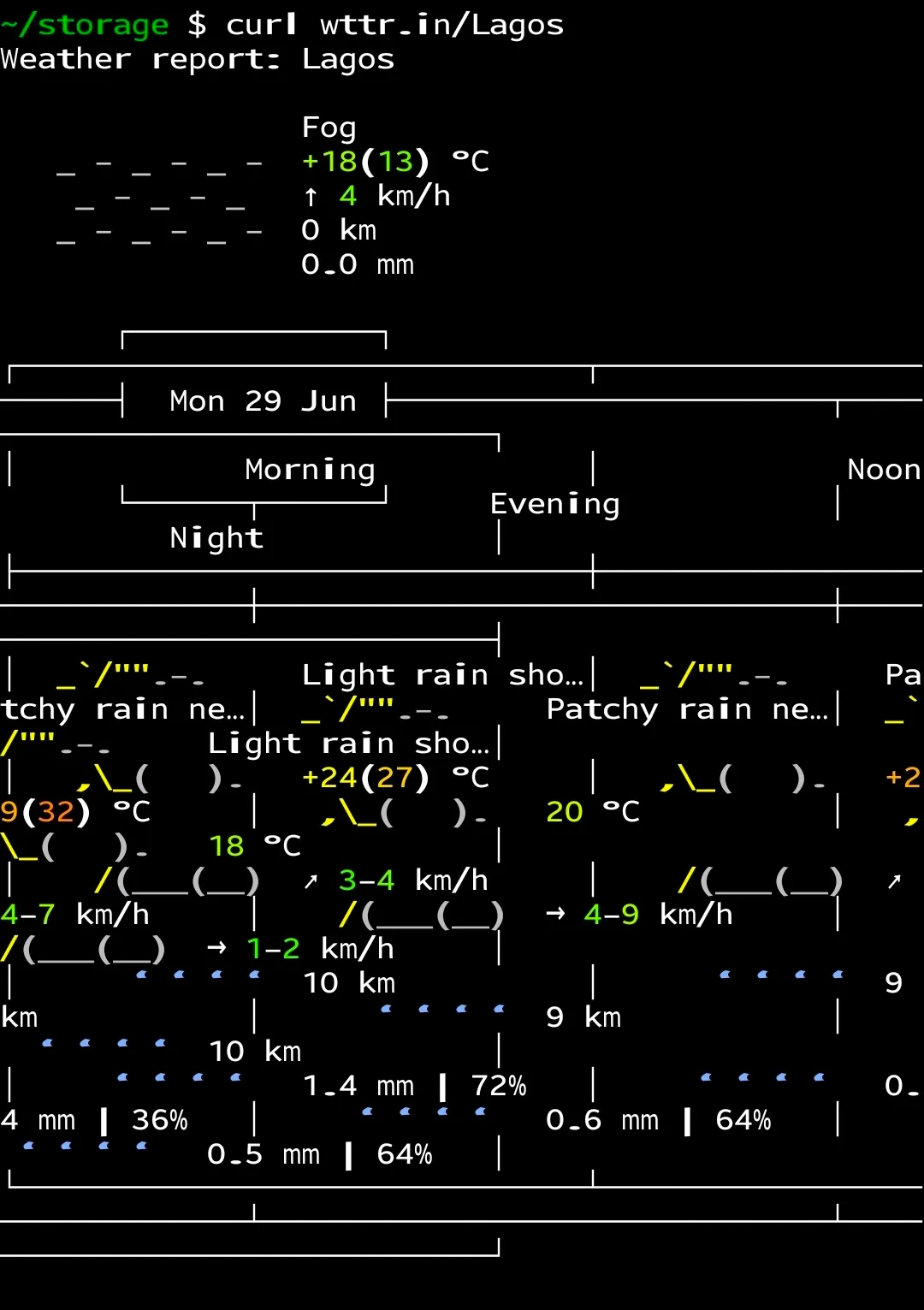
pkg install curlPull a three-day weather forecast for any city directly in the terminal:
curl wttr.in/LagosReplace Lagos with your city name. Use hyphens for multi-word names: New-York, Port-Harcourt, Los-Angeles. The output renders a full ASCII weather report with condition icons, temperature, wind speed, and humidity.
Use cURL as an instant dictionary through the DICT protocol:
curl dict://dict.org/d:serendipityNo browser, no ads, and the response loads faster than any web dictionary. You can also use cURL to download files straight to your Termux home directory from any public URL.
PRO TIP: Append ?format=3 to get a compact single-line weather result: curl "wttr.in/Lagos?format=3". Add this as an alias in ~/.bashrc and your terminal greets you with the current temperature every time you open a session.
Nmap: Scan Your Network Directly from Your Android Phone
Install Nmap:
pkg install nmapRun a fast scan of your local network to see every active device and its open ports:
nmap -F 192.168.1.0/24Replace the IP range with your own network subnet. The -F flag runs a Fast mode scan across the 100 most common ports. Capitalization matters here. The Nmap manual on firewall and filter bypass explains that lowercase -f sends fragmented IP packets for a completely different purpose. Use uppercase -F for standard fast scanning.
To get service version information on a specific device:
nmap -sV 192.168.1.1Nmap outputs each active host with its IP address, open ports, and the service associated with each port. The -sV flag also attempts to identify which version of each service is running.
Are you curious about the other Android settings that open up once you start digging into device-level tools? The guide on how to enable Developer Options on any Android phone covers the settings Android deliberately hides from standard users, several of which pair directly with Termux network tools.
Common Termux Problems on Android and How to Fix Them
Problem: Repository errors or “Unable to fetch packages” during pkg update
Cause: Your Termux installation points to an outdated or unreachable mirror, or you installed from Google Play and the build cannot reach current repositories.
Fix:
- Run
termux-change-repoin the terminal. - Select Single Mirror from the menu.
- Choose a mirror in your geographic region from the list.
- Run
pkg update && pkg upgradeagain once the mirror change completes.
Problem: “[Process completed (signal 9)]” appears without you exiting the shell
Cause: Android 12 and higher includes a phantom process killer that terminates Termux background sessions when they exceed system process limits. Samsung One UI 5 and higher are particularly aggressive.
Fix:
- Go to Settings > Battery and device care > Battery > Background usage limits.
- Tap Never sleeping apps and add Termux to the list.
- On One UI 6 and higher, also turn off Adaptive battery in the same Battery settings menu to reduce process throttling.
Problem: “Permission denied” when trying to access phone storage from Termux
Cause: The termux-setup-storage command was never run, or Android revoked the storage permission after an OS update.
Fix:
- Run
termux-setup-storagein the Termux terminal. - Tap Allow when the Android permission dialog appears.
- If no dialog appears, go to Settings > Apps > Termux > Permissions and manually enable Storage.
- Restart Termux completely and run
ls ~/storage/downloads/to confirm the fix worked.
Pro Tips for Getting More From Termux on Android
Set up SSH access to control Termux from your laptop. Install OpenSSH with pkg install openssh, start the server with sshd, and find your phone’s IP with ifconfig. Any computer on the same Wi-Fi network can then SSH into your phone using ssh [username]@[phone-IP] -p 8022. The default Termux SSH port is 8022, not 22.
Add command aliases to save time on repeated tasks. Open your shell config file with nano ~/.bashrc and add this line: alias update='pkg update && pkg upgrade'. Typing “update” then runs both commands. Add a weather alias the same way: alias weather='curl "wttr.in/Lagos?format=3"'.
Process entire folders of images with a single loop. The following command converts every JPG in your camera folder to grayscale PNG without opening a single app:
for f in ~/storage/dcim/Camera/*.jpg; do magick "$f" -colorspace gray "${f%.jpg}-bw.png"; doneRun Python automation scripts against your phone files. After pkg install python, call any script from your Downloads folder with python ~/storage/downloads/script.py. This setup handles bulk file renaming, JSON parsing, and log analysis directly on your device.
Search the repository before asking online. Run pkg list-all | grep [keyword] to see every package that matches a term. This searches the full repository including packages not returned by pkg search alone.
Frequently Asked Questions About Termux on Android
Q: Does Termux work on Samsung Galaxy phones?
A: Termux works on every Samsung Galaxy phone running Android 7.0 or higher. This covers all Galaxy S, A, Z Fold, and Z Flip models released since 2017. Samsung’s One UI battery restrictions can interrupt long Termux sessions, so you must add Termux to Never sleeping apps in your battery settings before running anything time-sensitive.
Q: Do I need root access to use Termux on Android?
A: Termux requires no root access at any point. It runs entirely within its own sandboxed directory on the device and cannot touch Android’s protected system partitions. You get the full benefit of the package ecosystem, including Nmap and ImageMagick, without modifying your device’s security model at all.
Q: Why did the Play Store version of Termux stop receiving updates?
A: Termux developers stopped maintaining the Play Store version in 2022. Google required apps to target a newer SDK level that conflicted with how Termux handles package management. The F-Droid version has no such restriction and receives updates regularly. Any guide or video that sends you to the Play Store for Termux is outdated.
Q: Can Termux damage my Android phone?
A: Standard Termux usage cannot damage your Android system without root access. Packages install and run inside Termux’s own directory structure and cannot write to Android’s protected partitions. For Nmap, run scans only on networks you own or have explicit written permission to test. Scanning networks you do not own violates computer access laws in most countries.
Q: What are the first Termux packages a beginner should install?
A: Run pkg update && pkg upgrade before anything else. After that, pkg install curl git python nano gives you the four tools that most other packages in the repository build on. From there, add ImageMagick for image work (pkg install imagemagick) and Nmap for network scanning (pkg install nmap) based on your actual use case.
Q: How do I remove a Termux package I no longer need?
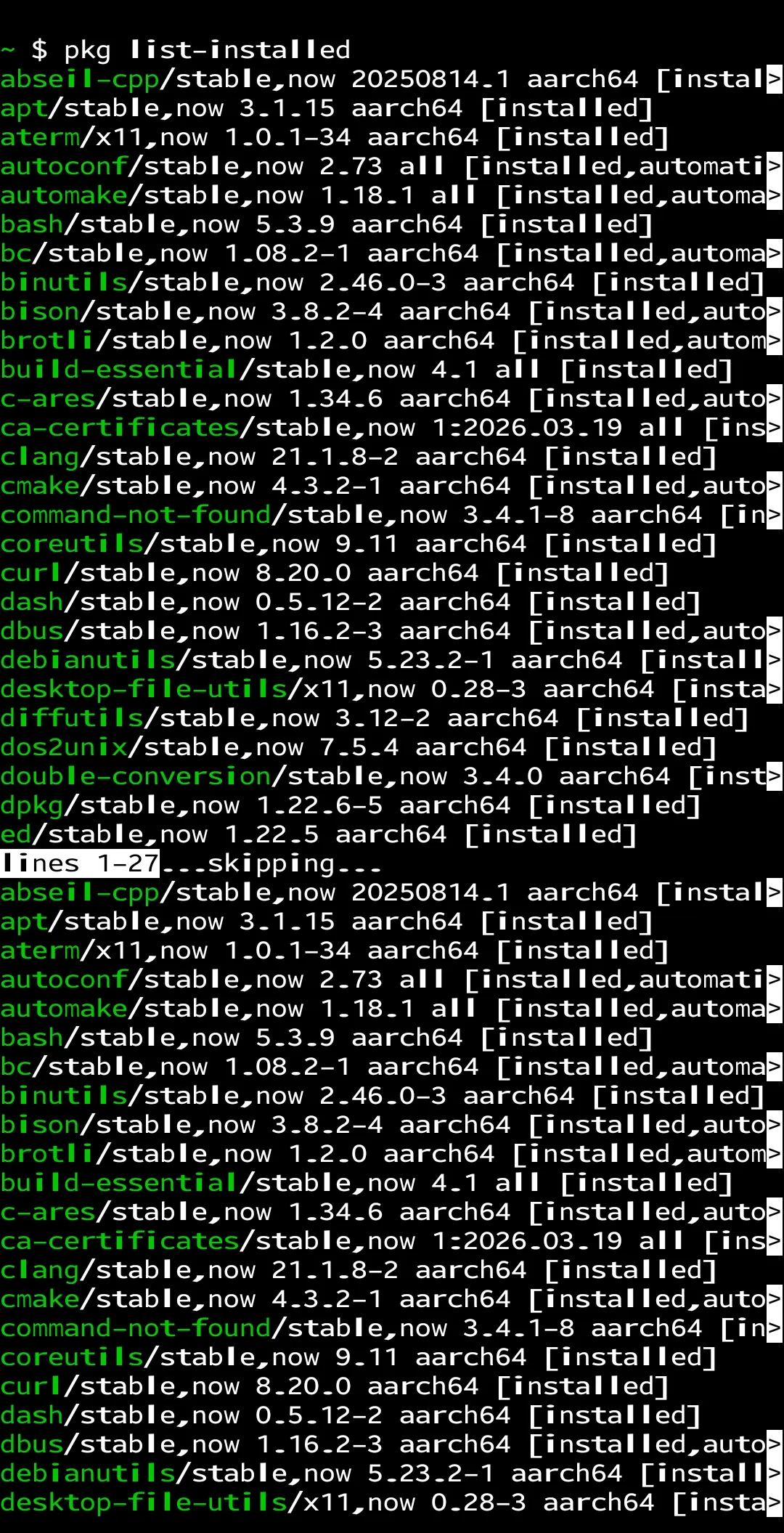
A: Run pkg uninstall [package-name] with the exact package name. Use pkg list-installed to see every installed package with its exact name before running the uninstall command. The freed storage space becomes available immediately after removal.
Your Android Phone Was Always This Powerful
Termux on Android proves that the phone in your pocket has capabilities most people never touch. ImageMagick, cURL, and Nmap each solve real problems that no Play Store app matches: scriptable image processing, protocol-level data queries, and honest network scanning without upsells.
Your next step is to pick one command from this guide and run it. Install ImageMagick and convert a photo from JPG to grayscale in under 60 seconds. Once that works, the rest of the repository starts to feel like a toolkit rather than a maze.
For another layer of Android control that most users overlook, the guide on removing bloatware from your Android phone covers which manufacturer apps you can safely disable without affecting core phone functions.
Which Termux package are you going to try first? Leave the install command in the comments and we’ll help you get it running.
Discover more from Cloudorian — Android, Samsung & Windows How-To Guides
Subscribe to get the latest posts sent to your email.
