

You and I know that in Nigeria recently, all the Banks banned international transactions on USD both on their cards. For small businesses, it hasn’t been easy to deal internationally especially in purchasing products in USD, or in other currencies other than Naira. In this Chipper cash review, I will explain how to get a free virtual cards that works internationally and send money and receive money anywhere in the world.
What is Chipper Cash?
Chipper cash allows you to send and receive money across Africa freely without any restrictions.
Chipper cash helps you move your money to anywhere in the world easy and fast with low charge rates, they also helps you to create virtual card (USD and Naira Visa card) free without charge. They also have varieties of other features.

Features of Chipper Card
- Send and Receive Cash
- Get a Free Virtual Cards (USD and Naira Visa cards)
- Invest in Crypto
- Invest in Stocks
- API Codes (for businesses)
- Bills Payment
- Airtime Recharge
Send and Receive Cash: Chipper cash offers you fast and easy movement of your money through secure payment gateways. The transfers comes with low charge rates which makes it more attractive.
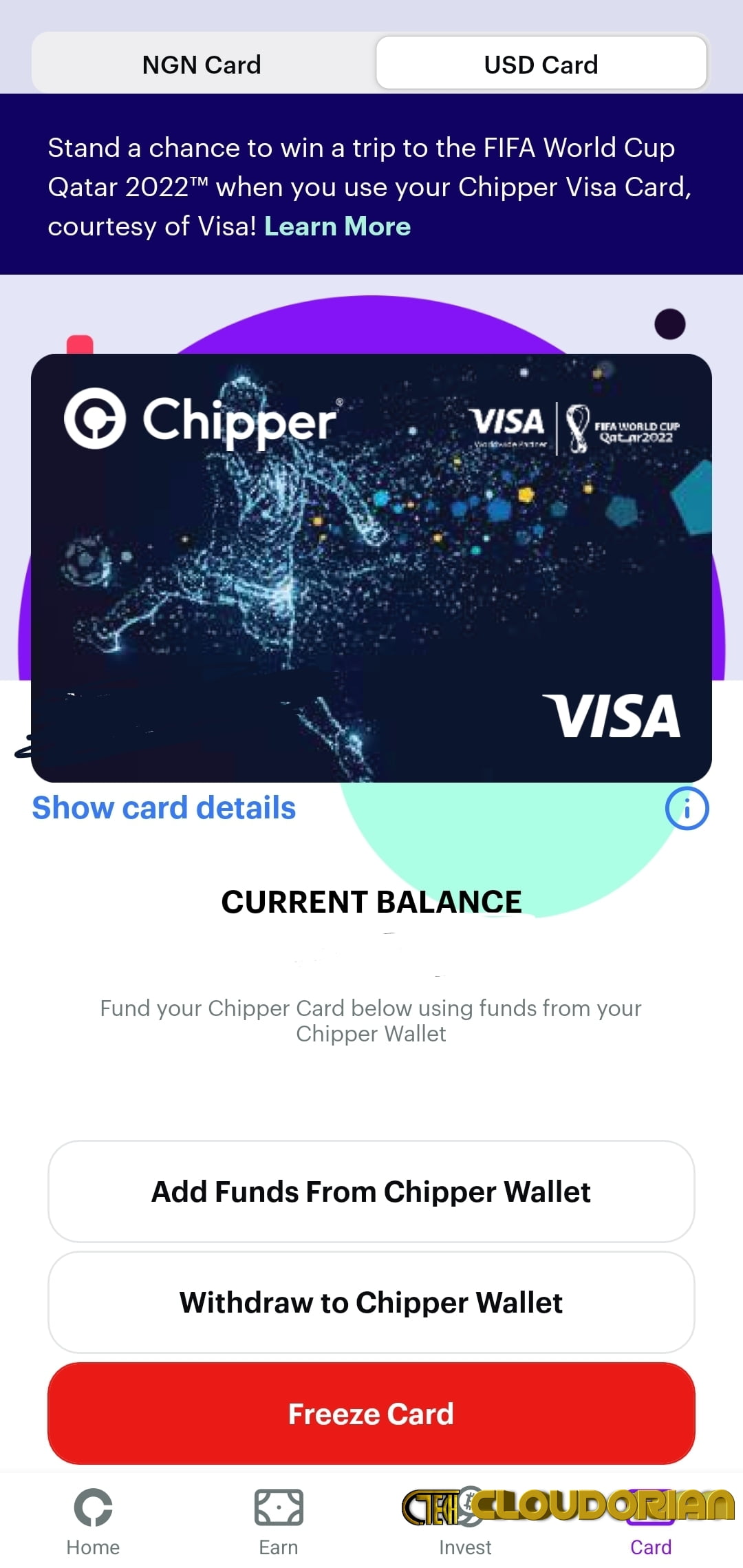
Create Virtual Cards: Chipper cash gives you free virtual cards once you verify your account. Their USD visa card is accepted anywhere like Netflix subscription, Apple Store payments, procurement of items on Aliexpress, ebay etc, play store subscriptions etc.
How To Get a Free Virtual cards on Chipper cash
- Create an account on chipper cash by downloading their app on Google Play Store or App store. (Please Use our Referral code: JR68K)
- Fill in your details, Verify your account using your BVN, ID Cards and wait for their Approval
- After verification, you will be given a unique account number which you will use for transactions.
- Then proceed to Card section on the App, there are two Tabs (USD Card and Naira Card), Then click on the CLAIM CARD at the bottom of the screen of each of the Card Tab. After loading, you will be given the Virtual card with details to each.
Bills Payment: You can pay your Electricity bills, Water bills, Satellite TV Bills (e.g DSTV, GOTv), Internet bills. The payment is swift and secure.
Stocks Investment: Chipper cash also has a section where you can invest in international stocks like Apple stocks, Google stocks etc.
Airtime and Bundle Recharge: you can equally recharge your airtime, pay Data bundle bills on the chipper cash app with less or no charges.
Network API: Chipper cash offers API to businesses who wish to run a payment system network, Their API Helps to accept payments, send payouts etc.
Cons and Pros of Chipper cash
Cons
- unresponsive and slow Customer service
- Slow App Networks
- Bugs/Errors when creating card
Pros
- USD Visa Card works anywhere
- Cash backs when you buy with the card
- Faster Bill payments and Airtime recharge
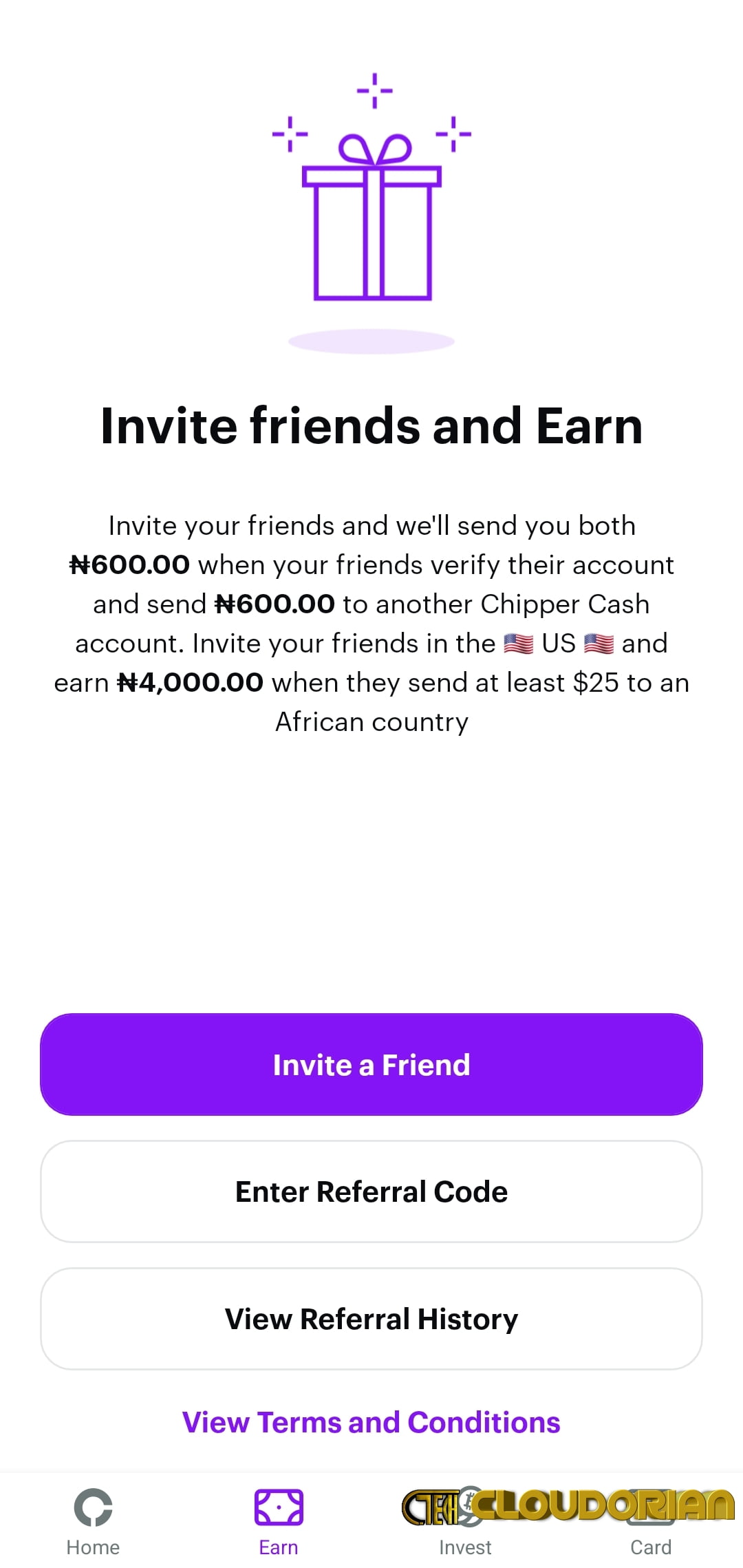
- 600 Naira when referred a new user and 4000 Naira when user transact 25 USD above
- Investing in Stocks got easier
Some FAQ about Chipper Cash
Can I Buy Bitcoin on Chipper cash?
Yes, Chipper cash helps you convert your Naira to Bitcoin instantly, Also you can trade 24/7 on Chipper cash.
Is Chipper Cash trusted?
Chipper cash ensures safety and security of your transactions.
Is Chipper Cash approved by CBN?
Chipper cash is approved by CBN to use their technology to provide financial services to users in Nigeria. They are licensed International Money Operators.
How do I earn money on Chipper cash?
- Refer and Earn Money bonus on chipper cash. You earn 600 Naira per referral.
- Share your referral links by tapping on the Earn section then click on Share to friends to share your link to then (Please follow our refferal to Get started => https://chipper.cash/invite/JR68K)
- Remember that each referred person must create an account, fill all the requirements and verifications before you can earn your bonus.
Does Chipper cash require BVN?
Yes, Chipper cash requires your BVN for verification. This helps them O be able to track and investigate illegal transactions on the app.
How can I withdraw from chipper cash?
- Login the app
- Click on the Profile at the right top of the screen.
- Now, scroll down and select Cash Out.
- Enter the Amount to Cash out.
- Select add New Payment method or Select already added payment and Enter your Bank details if you are adding new payment method.
- Now click on continue tand enter your Chipper cash pin to confirm the Cash out.
Conclusion: Chipper Cash Review
Chipper cash offers you easy and fast Way to transfer and receive money locally and international. Their Virtual card works anywhere and it’s free to Create. To create Chipper cash virtual card, it takes very simple steps.
If you have any suggestions or questions, kindly drop it in the comment below. Thank you.
Discover more from Cloudorian — Android, Samsung & Windows How-To Guides
Subscribe to get the latest posts sent to your email.



