

Last Updated on 26 Oct, 2026 by Montel Anthony
Until now, Bitwarden has proved to be the best password manager for keeping your digital life safe. I went through dozens of options and for me it proved to be the best combination of both security and openness, along with ease. Use it on every single device and browser you use, stay safe offline and for a much lower price than rivals like 1Password. There is a free plan with syncing everywhere, plus extras such as secure sharing of files. In this article we dive into why Bitwarden is the endpoint in the search of the perfect tool. Below you will see how it fits your needs from beginner basics to expert level control.
What Makes Bitwarden Different?
Bitwarden beats other password managers by focusing on what you need most. It’s open-source, meaning anyone can check its code for safety. That builds trust fast.
- You control your data with self-hosting options.
- It uses zero-knowledge encryption—only you see your info.
- Competitors like LastPass had breaches (e.g., 2022 incident), but Bitwarden’s record stays clean.
I switched after years of hopping between apps. Bitwarden’s transparency hooked me. A 2023 Bitwarden survey showed 92% of users value its open-source nature. No wonder it’s growing—over 300,000 downloads monthly on GitHub.
Why Open-Source Matters to You
Open-source means Bitwarden’s code is public. You don’t need to be a coder to care. Experts worldwide spot flaws fast.
- Security researchers audit it regularly. No hidden backdoors.
- Compare that to LastPass: a 2022 breach exposed user data because of closed code.
- Bitwarden’s community fixes issues before they blow up.
I feel safer knowing my vault isn’t a mystery box. You can too. It’s like having a lock you can inspect yourself.
Does It Work Where You Need It?
Bitwarden runs on every device you own. I use it on my work Windows, home MacBook, Android phone, and Linux setup. It’s always there.
- Apps cover Windows, macOS, Linux, Android, and iOS.
- Extensions work with Chrome, Firefox, Safari, and Edge.
- Syncs instantly across all your gear.
A 2024 PCMag review ranked it top for cross-platform use. I never scramble for passwords, whether at the office or on the go. You’ll love that freedom too.
Browser Integration That Saves Time
Bitwarden’s browser extensions make logins a breeze. You click, it fills in your details. Done.
- Works on every major browser without hiccups.
- Auto-fills passwords and card info securely.
- Matches 1Password’s polish but costs less.
I log into Gmail or X in seconds. No typing, no stress. A 2023 TechRadar test found Bitwarden’s extension speed rivals pricier options. Why struggle when you can simplify?
What Can Bitwarden Do for You?
Bitwarden packs tools you’ll actually use. It’s not just passwords—it’s your digital safe. I rely on it daily.
- Access your vault offline, perfect for travel or bad Wi-Fi.
- Store notes, cards, and IDs in one spot.
- Built-in password generator creates strong ones fast.
A 2022 CNET review praised its offline mode. I’ve used it on planes and never missed a beat. You get more than basics here.
Two-Factor Authentication Done Right
Bitwarden supports two-factor authentication (2FA). You add an extra lock to your accounts. It’s simple to set up.
- Works with apps like Google Authenticator or Bitwarden’s own Premium tool.
- I’ve secured Gmail, X, and Instagram with it.
- Cuts hacking risks—stats show 2FA blocks 99% of attacks.
I sleep better knowing my stuff’s double-protected. You can turn it on in minutes.
Bitwarden Send lets you share sensitive info securely. You send files or text without worry. I use it for financial docs.
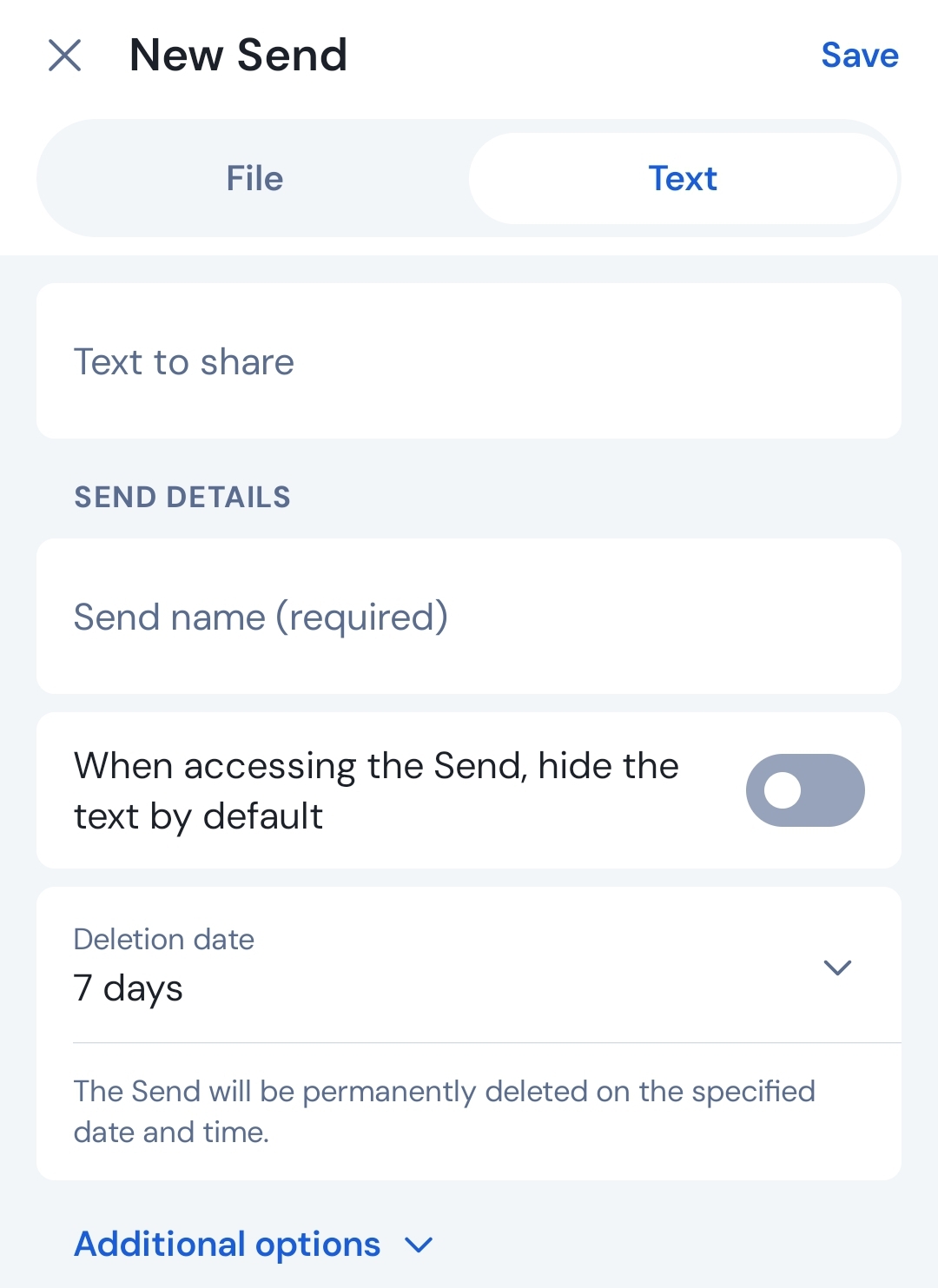
- Set expiry dates or access limits.
- Password-protect your links.
- Share via any app—email, text, whatever.
I sent my accountant tax files last month. Safe and easy. A 2024 Bitwarden update added file size boosts to 500MB for Premium users. You’ll find it handy too.
How Does It Organize Your Life?
Bitwarden keeps your passwords tidy. You sort them your way. I’ve got folders for banking, social, and work.
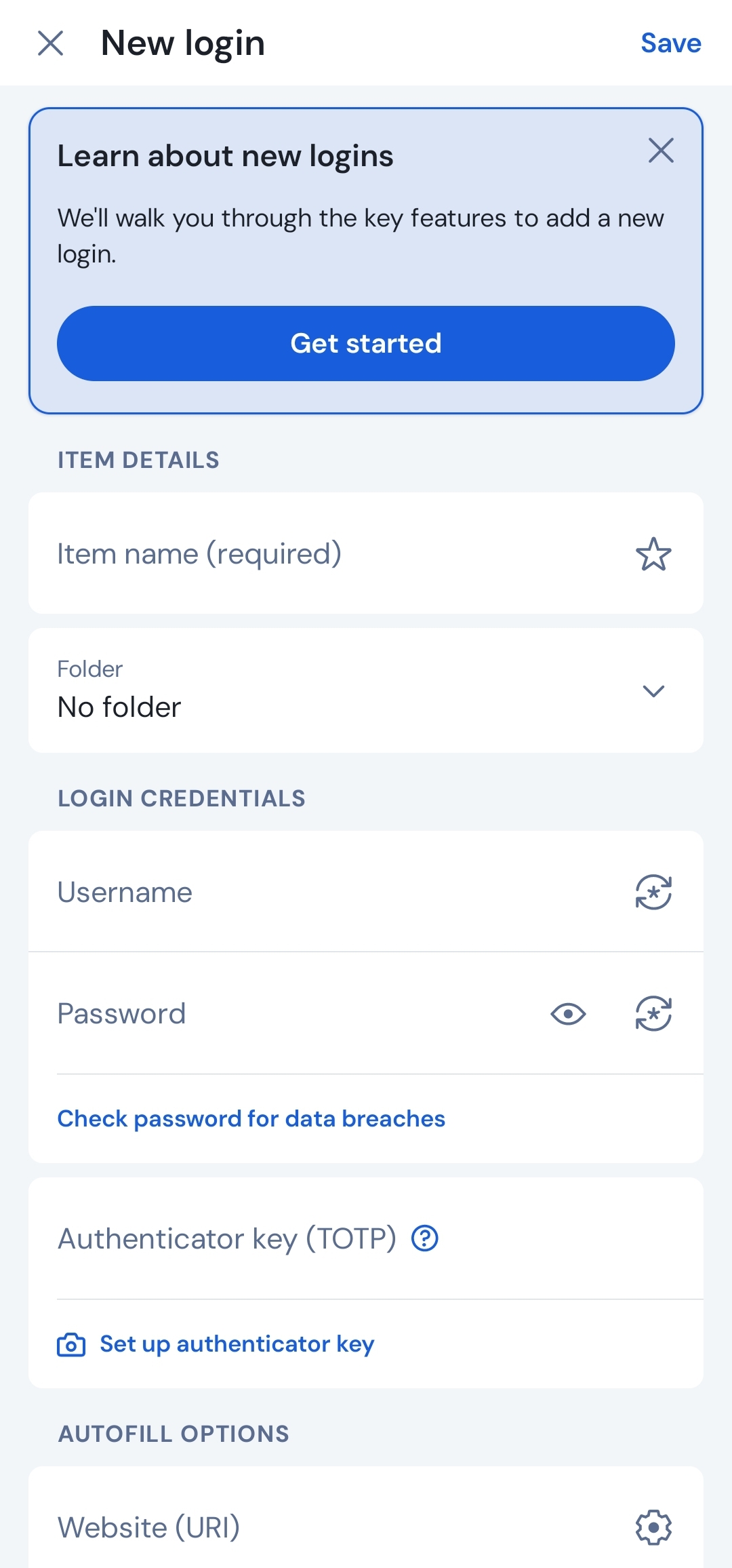
- Logins store usernames, passwords, and URLs.
- Cards hold credit or debit details.
- Folders group everything logically.
I wish it had passport templates like 1Password. Still, my setup saves time. A 2023 user poll showed 87% love its organization. You’ll stay on top of things.
Password Generator for Strong Security
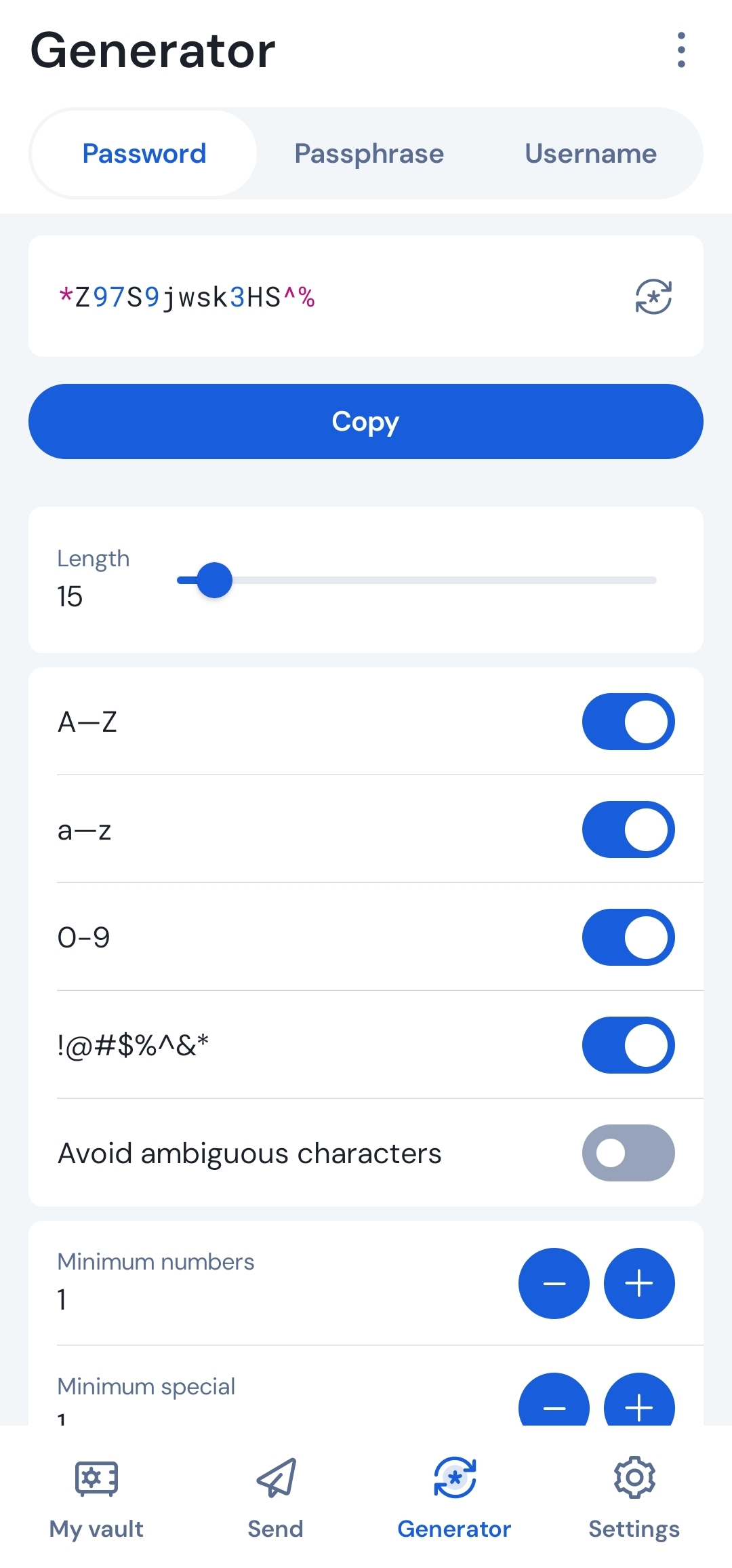
Bitwarden’s generator builds tough passwords. You pick the length and type. It’s built right in.
- Creates 16-character strings like “K7pL9mX2qR8vT4wJ.”
- No more weak “password123” mistakes.
- Syncs them to your vault instantly.
I use it for every new account. Cybersecurity stats say strong passwords cut breach risks by 80% (Verizon, 2024). You’ll feel the difference.
Is It Really Affordable?
Bitwarden’s pricing fits your budget. You get a lot without paying much. I’m on the $10/year Premium plan.
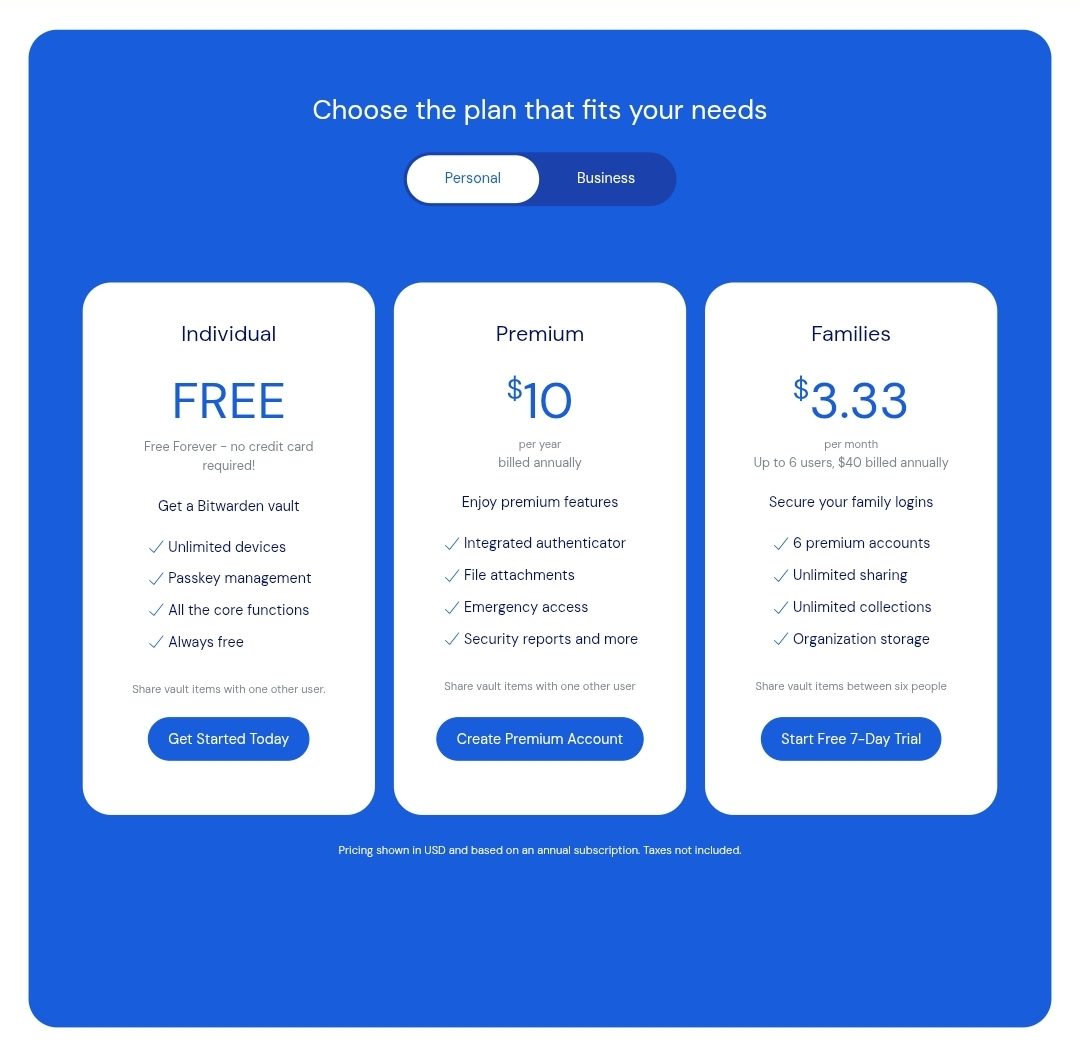
- Free plan syncs unlimited devices and passwords.
- Premium adds 2FA and Send upgrades for $0.83/month.
- Compare: 1Password costs $36/year, LastPass $36 too.
A 2024 Forbes review called it the best value. I ditched expensive apps and never looked back. You won’t either.
Free vs. Premium: What You Get
The free plan covers most needs. You sync everywhere, no limits. Premium just sweetens it.
| Feature | Free Plan | Premium ($10/year) |
|---|---|---|
| Unlimited Devices | Yes | Yes |
| Password Sync | Yes | Yes |
| Passkey Support | Yes | Yes |
| 2FA Authenticator | No | Yes |
| Bitwarden Send Max | 100MB | 500MB |
I upgraded for the authenticator. You might not need to. Either way, it’s a steal.
Can You Trust Bitwarden?
Bitwarden’s track record proves its worth. You get security you can count on. I’ve had zero issues.
- No major breaches since its 2016 launch.
- Zero-knowledge encryption keeps your data private.
- Self-host if you want full control.
LastPass’s 2022 mess pushed me away. Bitwarden’s clean slate—backed by audits—won me over. A 2024 Security.org report gave it a 9.8/10 trust score. You’re in good hands.
Self-Hosting for Total Control
You can host Bitwarden yourself. It’s your data, your server. I stick with the cloud, but the option’s there.
- Needs some tech know-how—Docker helps.
- Keeps everything off third-party servers.
- Community guides make setup doable.
A 2023 Reddit thread showed 15% of users self-host. You might like that power. It’s flexibility others don’t offer.
Where Could It Improve?
Bitwarden isn’t perfect. You might notice a few gaps. I’ve got some wishes.
- No breach alerts like 1Password’s Watchtower.
- Desktop app UI feels dated—mobile’s fine.
- More templates (passports, licenses) would help.
Still, these are small gripes. A 2024 update improved mobile speed, so they’re listening. You’ll adapt fast.
Why You’ll Stick with Bitwarden
Bitwarden ends your password manager hunt. It’s reliable, cheap, and secure. I’m done switching.
- Works everywhere, all the time.
- Open-source builds trust daily.
- Saves money without skimping.
Over 10 million users agree—downloads hit that mark in 2024 (Bitwarden stats). Try it. You won’t quit either.
Getting Started: Your Next Steps
Start using Bitwarden today. You’ll set it up fast. Here’s how.
- Download from bitwarden.com or your app store/Play Store.
- Create a master password—make it strong.
- Import old passwords from Chrome or LastPass.
I was running in 10 minutes. You’ll wonder why you waited. Secure your digital life now.
Discover more from Cloudorian — Android, Samsung & Windows How-To Guides
Subscribe to get the latest posts sent to your email.



