

If you have a laptop with limited ports, you might find it frustrating to connect all the peripherals you need, such as an external monitor, keyboard, mouse, speakers, and more. You might also want to use your laptop as a desktop PC when you’re at home or in the office, but switching between the two modes can be cumbersome.
| Anker USB-C on Amazon at $40 Now! |
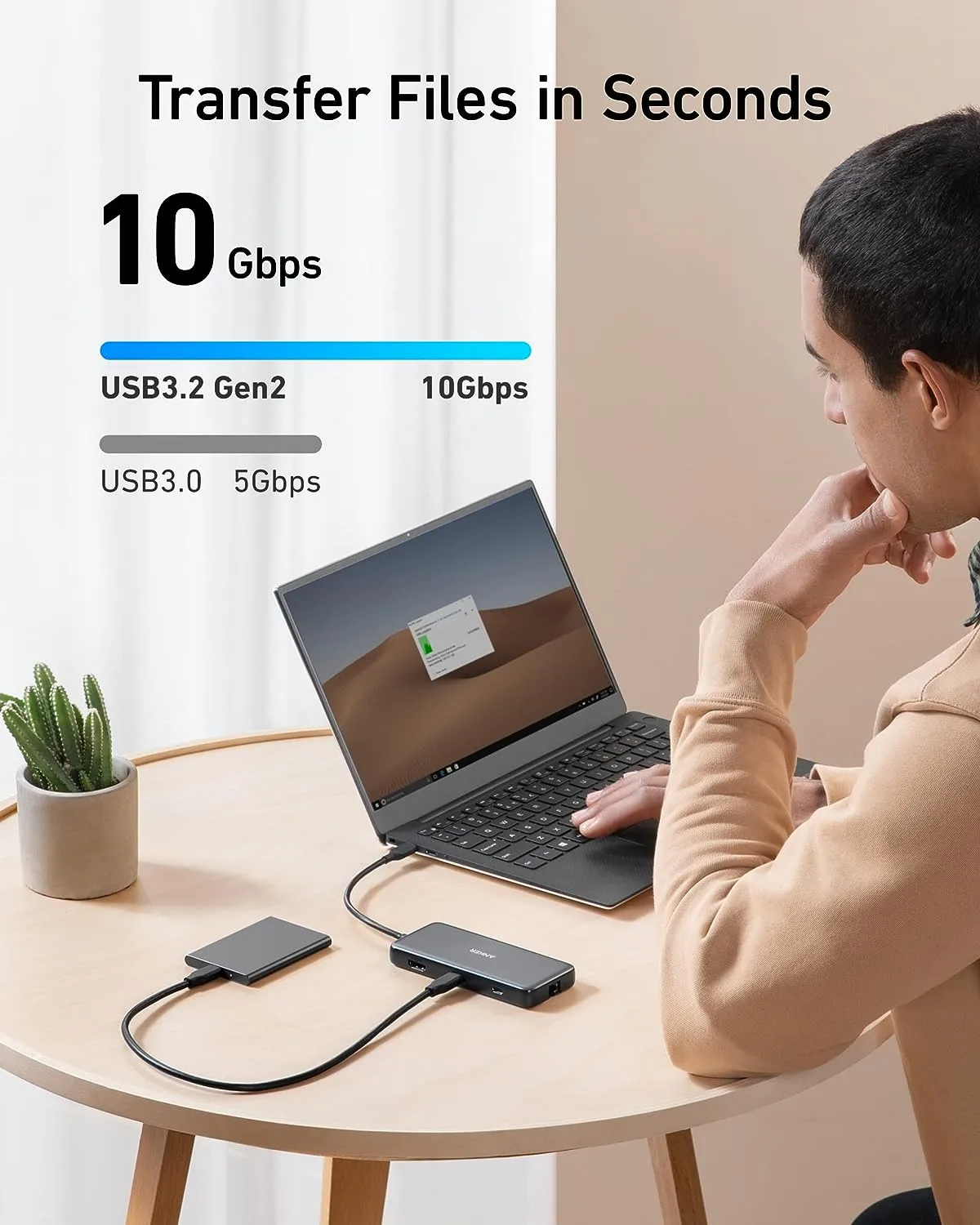
That’s why you should consider getting Anker’s 8-in-1 USB-C Hub, the 555, which is currently on sale for just $40 on Amazon, a 47% discount from its regular price of $74.99. This hub is a powerful and versatile accessory that can transform your laptop into a full-fledged desktop PC with ease.
What Can Anker’s 8-in-1 USB-C Hub Do?
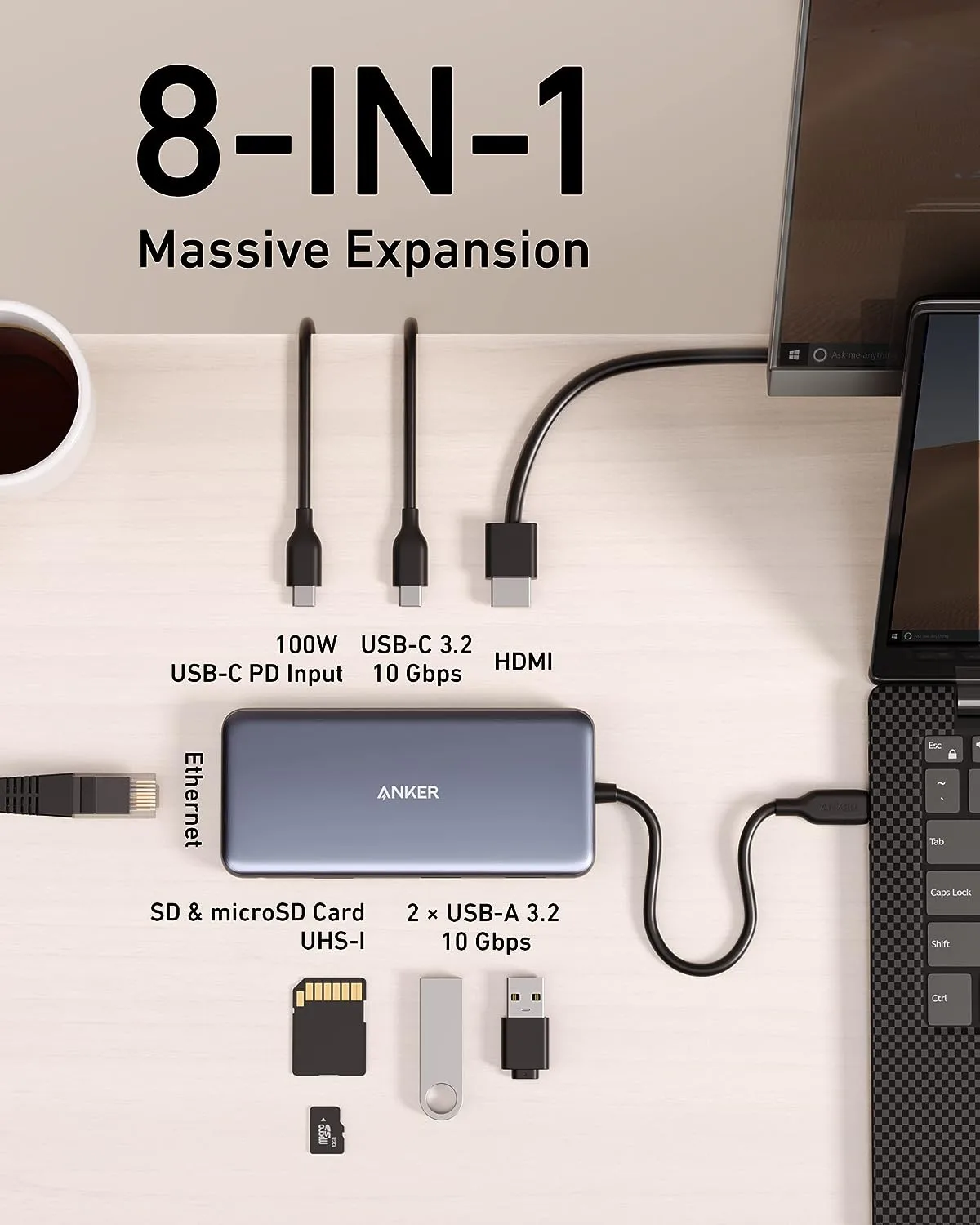
Anker’s 8-in-1 USB-C Hub has a total of eight ports that can expand the functionality of your laptop:
Check Out 5 in 1 USB-C Hub by UGREEN: Enhance Connectivity with Versatile Design
- A USB-C Power Delivery input port that supports pass-through charging up to 100W (minus 15W for operation), allowing you to power up your laptop at high speed while using the hub’s other functions. (Wall charger not included)
- A USB-C data port that provides file transfer at speeds up to 10 Gbps, ideal for transferring large files or backing up your data.
- Two USB-A data ports that also support file transfer at speeds up to 10 Gbps, compatible with most USB devices such as flash drives, hard drives, keyboards, mice, and more.
- An HDMI port that supports media display at resolutions up to 4K@60Hz, perfect for connecting an external monitor, TV, or projector for a stunning visual experience.
- An Ethernet port that offers a stable and fast wired internet connection, especially useful if you have a weak or unreliable Wi-Fi signal.
- A microSD card reader and a SD card reader that support virtually all SD card formats for seamless access to photos and other media files.
With these eight ports, you can easily connect multiple devices to your laptop and enjoy a desktop-like experience without sacrificing portability or performance.
What Devices Are Compatible with Anker’s 8-in-1 USB-C Hub?
Anker’s 8-in-1 USB-C Hub is compatible with most devices that have a USB-C port, such as:
- Microsoft Surface
- Apple MacBook
- Dell XPS
- Samsung Galaxy S20/S20+/S20 Ultra
- Huawei P40/P40 Pro
- And more
You can check the full list of compatible devices on Anker’s website³ or contact their customer service if you have any questions.
How to Use Anker’s 8-in-1 USB-C Hub?
Using Anker’s 8-in-1 USB-C Hub is very simple and straightforward. Just follow these steps:
1. Connect the hub to your laptop’s USB-C port.
2. Connect your devices to the hub’s ports as needed.
3. Enjoy your enhanced laptop experience.
That’s it! No drivers or software installation required. The hub is plug-and-play and ready to use right out of the box.
Why Should You Buy Anker’s 8-in-1 USB-C Hub Now?
Anker’s 8-in-1 USB-C Hub is a great deal for anyone who wants to upgrade their laptop experience without breaking the bank. Here are some reasons why you should buy it now:
- It’s on sale for only $40 on Amazon, a 47% discount from its regular price of $74.99. This is a limited-time offer that might end soon, so don’t miss this opportunity to save big.
- It comes with Anker’s worry-free 18-month warranty and friendly customer service, so you can buy with confidence and peace of mind.
– It has over 5,700 ratings on Amazon, with an average of 4.3 out of 5 stars. Most customers are very satisfied with the hub’s quality, performance, and design, and praise its value for money.
Conclusion
Anker’s 8-in-1 USB-C Hub is a must-have accessory for anyone who owns a laptop with limited ports. It can turn your laptop into a desktop PC with ease, offering a wide range of functions and features that can enhance your productivity, entertainment, and convenience.
Don’t miss this chance to get this amazing hub for only $40 on Amazon, a 47% discount from its regular price of $74.99. Order yours today and enjoy the benefits of having an 8-in-1 USB-C hub at your disposal.
Discover more from Cloudorian — Android, Samsung & Windows How-To Guides
Subscribe to get the latest posts sent to your email.



